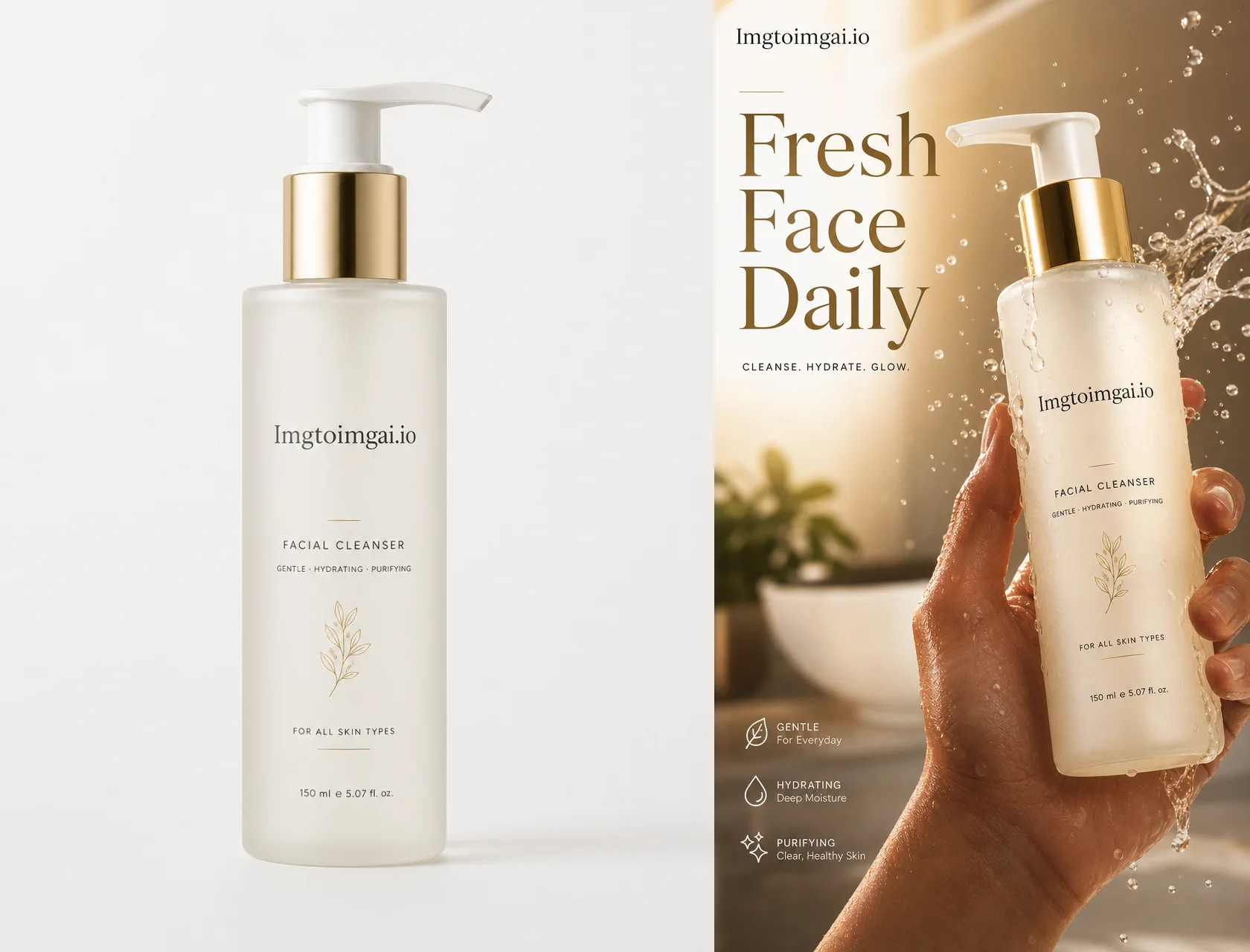
Turn one product photo into Shopify-ready scenes and ad creatives with Imgtoimgai.io — no prompt engineering required.
AI image models are moving fast. OpenAI’s image models first made Ghibli-like portraits and stylized selfies a social-media reflex — one photo, one style request, endless remixes. Google’s Nano Banana wave then pushed fast, shareable image edits and restyles across feeds. Then GPT Image 2 raised the bar again for commercial work: sharper product fidelity, more readable packaging text, and scenes that feel closer to a real studio shoot than a novelty filter.
The result is simple: AI images are finally good enough for real commercial work.
A few years ago, getting a usable image meant learning prompt syntax — negative prompts, camera jargon, weighting tricks. Some teams even hired dedicated prompt engineers. That era is fading. Today you can describe what you want in plain English, especially when you start from a real photo.
That’s what image-to-image AI is for: keep your product, change the world around it.
In this guide, you’ll use Imgtoimgai.io — an image-to-image AI generator built for practical creative work — to turn one product photo into:
- A clean Shopify-style lifestyle product shot
- An optional premium UGC-style advertising poster
Same product. Two outcomes. A few minutes.
What Is an Image-to-Image AI Generator?
An image-to-image AI generator starts from an existing photo (your product, packaging, or reference) and transforms it based on a text description.
Unlike text-to-image alone, image-to-image is better when you need:
- The same product shape, label, and branding
- A new background, lighting, or campaign mood
- Multiple variants from one SKU photo
Imgtoimgai.io connects modern models (including Nano Banana–class and GPT Image–class workflows) so you can upload a source image and describe the change in everyday language.
What Can You Create with Imgtoimgai.io?
If you sell online or run ads, these are the jobs people actually use image-to-image for:
- Shopify / Amazon main images and lifestyle variants
- Scene swaps (studio → marble bathroom, kitchen, desk, outdoor)
- Meta / TikTok ad creatives and UGC-style posters
- Seasonal refreshes (same product, new holiday or campaign look)
- Packaging or colorway previews before a full reshoot
- Landing-page heroes and social thumbnails
Next: one concrete walkthrough.
How to Use an Image-to-Image AI Generator with Imgtoimgai.io
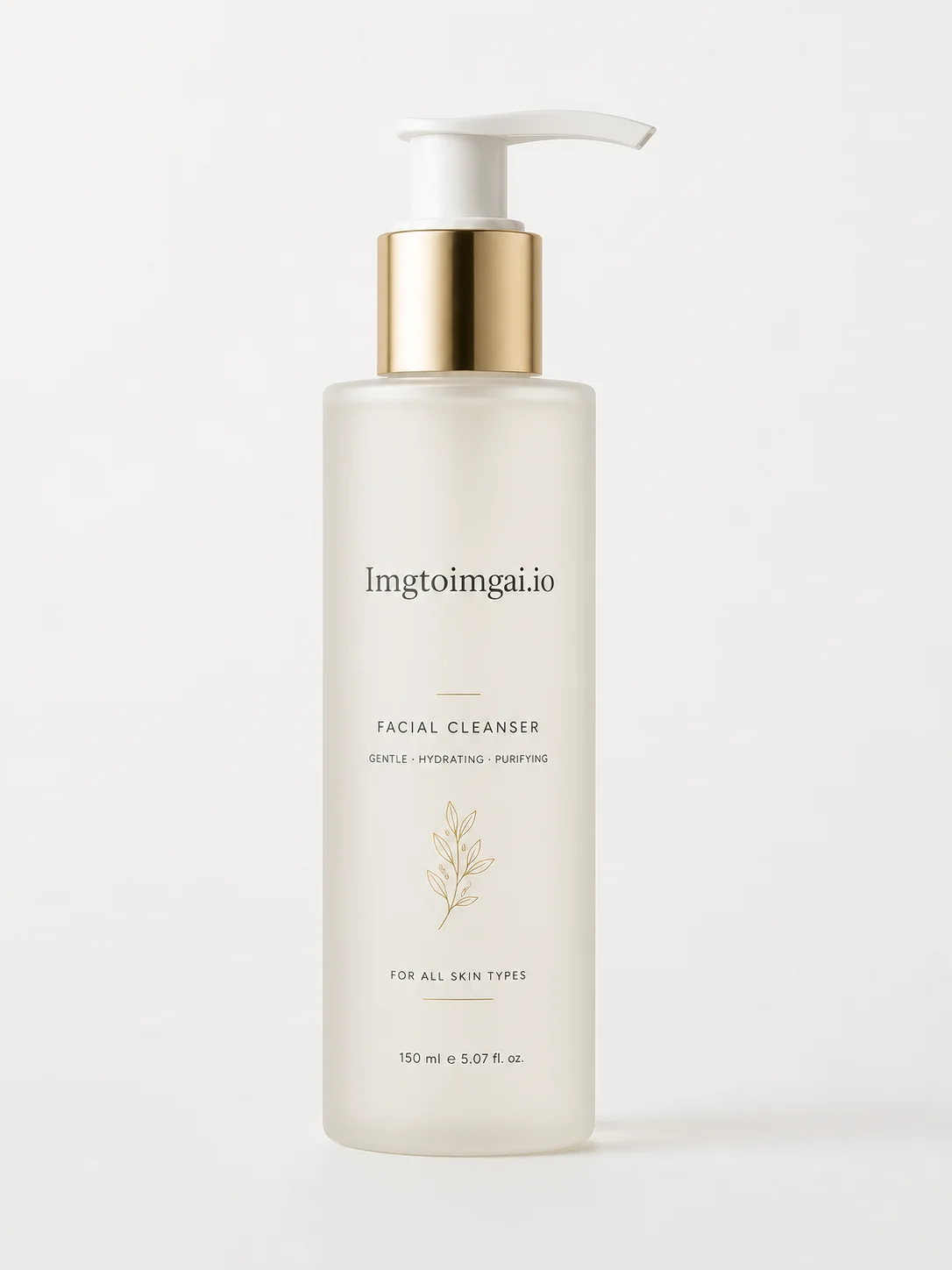
We’ll use a single product packshot as the source. Follow along on imgtoimgai.io.
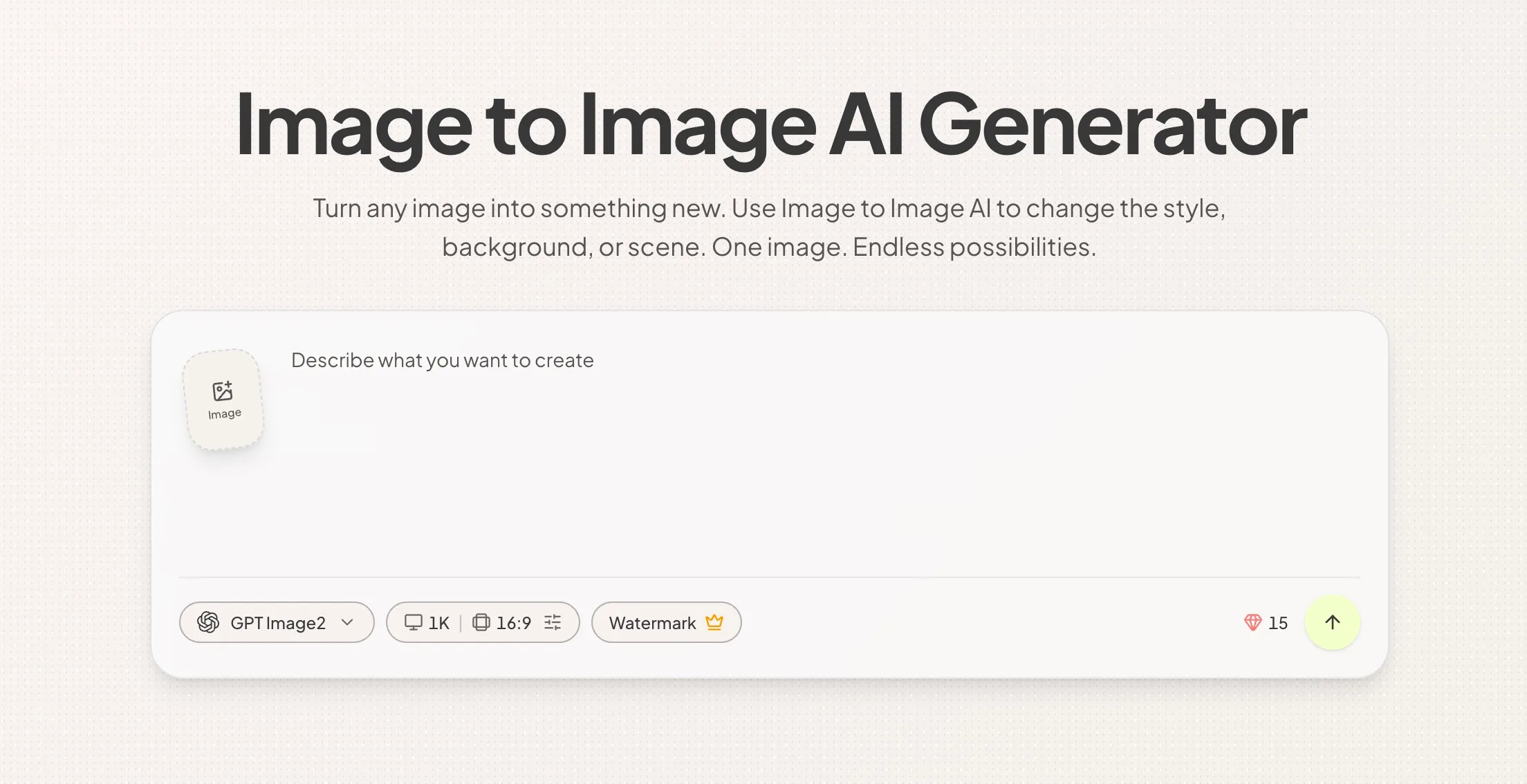
Step 1: Upload Your Product Image
- Open Imgtoimgai.io.
- Upload a clear product photo (JPG, PNG, or WebP).
Tips for better results
- Product should be sharp and fully visible
- Prefer a simple background on the source (white or plain)
- Keep labels readable in the original — the model can preserve them better when they start clear
Step 2: Describe the Result You Want
You do not need to hunt for “professional prompts” online.
Imgtoimgai.io’s models understand natural language. Say what you want to see: background, lighting, use case, and vibe.
Example A — Clean Shopify lifestyle shot (recommended first)
Paste something like:
Remove the product background and place it on a marble bathroom counter.
Professional product image for Shopify, soft daylight from the side,
clean reflections, realistic shadows, premium ecommerce lifestyle photo,
product sharp and centered, no clutter.
Then generate.
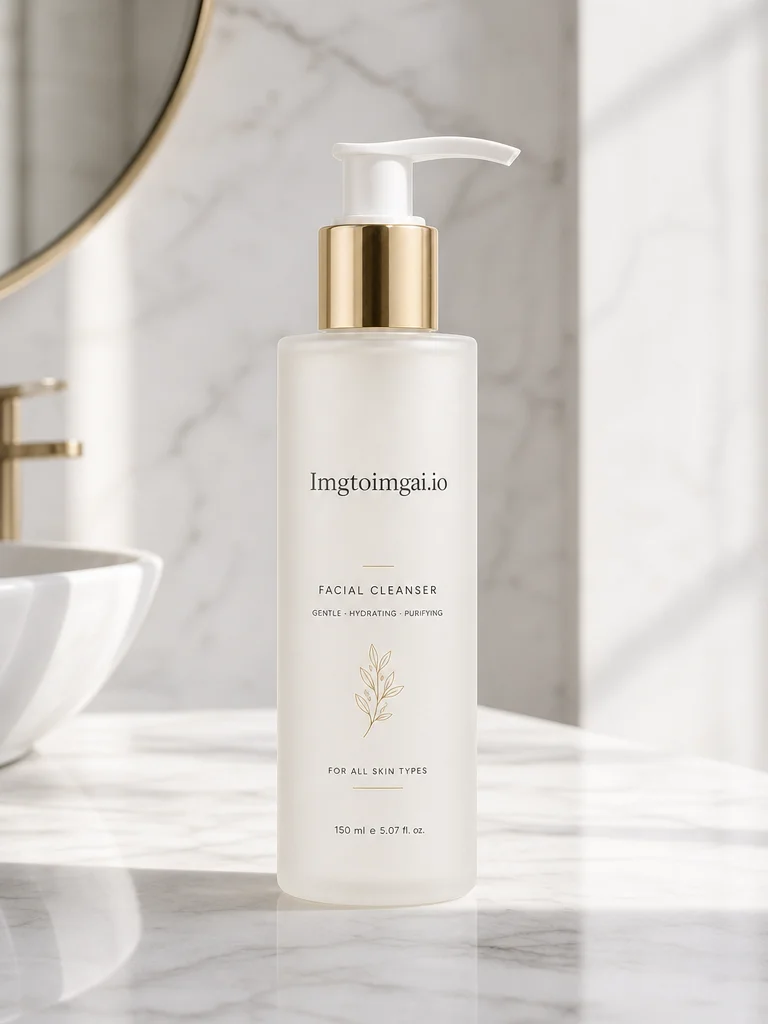
That’s the whole loop for most store needs: upload → describe → generate.
Optional: Create a Premium UGC-Style Advertisement
Want a bolder ad creative? Use a structured template. Treat this as an advanced option, not a requirement.
How to use the template
- Replace
[PRODUCT],[BRAND], and[SLOGAN](slogan = exactly 3 words). - Keep the product photo as the input image.
- Generate, then tweak one sentence if needed.
Filled example (short)
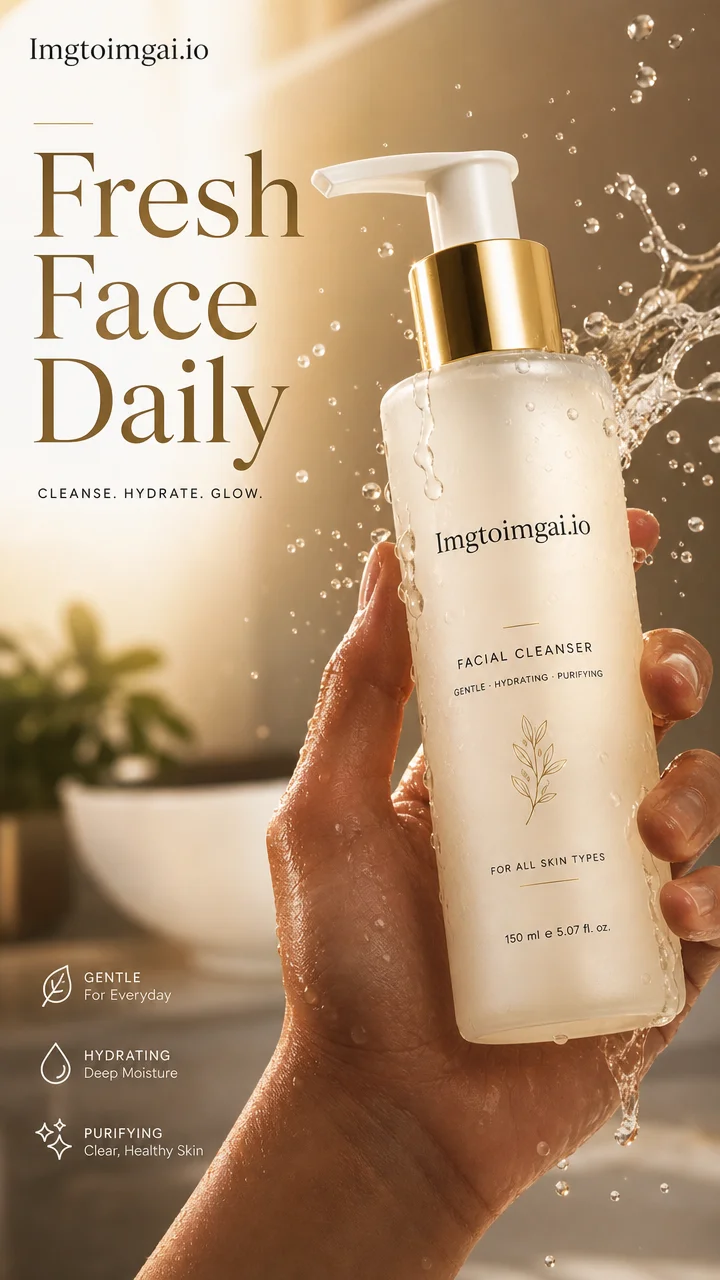
Create a premium UGC-style advertising poster for this skincare bottle by AuraLab.
Keep the bottle shape, label, logo, colors, and text accurate.
Show a hand grabbing the bottle toward camera in a dynamic moment,
with a frozen splash of serum and soft mist.
Dramatic editorial lighting, luxury commercial finish, vertical 4:5 poster.
Include a bold 3-word slogan: "Glow Starts Here".
No distorted logo, no unreadable text, no watermark.
Full campaign template (copy and customize)
Create a premium UGC-style advertising poster for [PRODUCT] by [BRAND].

Use the product as the clear hero of the image and preserve the product shape,
packaging, logo, label, colors, proportions, and readable text with strong
visual accuracy.

Design the image as a powerful commercial poster with a bold editorial feel
and a high-impact visual hook. The scene should feel like a real viral UGC
moment elevated into a luxury campaign.

Show a human hand naturally interacting with the product in a dynamic action
moment such as grabbing it, tossing it, spraying it, opening it, pouring it,
unboxing it, or pushing it toward the camera. Capture the exact split second
of action with strong cinematic tension and scroll-stopping energy.

Add product-related action effects that enhance the visual hook, such as
frozen splashes, flying particles, dust bursts, liquid trails, mist, shattered
texture bursts, energetic motion blur, glow accents, or floating ingredients
depending on the product category. The action should feel bold, intentional,
premium, and visually irresistible.

Make the product the sharpest and most dominant subject in the frame. The
composition should feel like a polished advertising poster, not just a casual
photo. Use dramatic editorial lighting, clean rim light, realistic reflections,
crisp focus, shallow depth of field, premium contrast, cinematic color grading,
and a refined luxury commercial finish.

Include the brand logo clearly and tastefully as part of the poster design,
either on the product packaging and/or as a clean design element in the
composition. Also include one strong advertising slogan made of exactly
3 words: "[SLOGAN]"

The slogan must feel bold, memorable, premium, and campaign-worthy. Place it
in a visually powerful way, using clean high-end typography and a layout that
supports the product without overpowering it.

Composition: vertical poster, 4:5 or 9:16, dynamic close-up or medium-close
framing, product large in the foreground, partial human presence, strong
negative space, premium ad layout, viral commercial energy.

Mood: bold, premium, modern, playful, energetic, stylish, addictive, visually
striking.

No fake branding, no distorted logo, no unreadable packaging, no messy anatomy,
no cheap CGI, no cluttered layout, no weak composition, no duplicated product,
no watermark.
Step 3: Choose a Model and Image Settings
In Imgtoimgai.io:
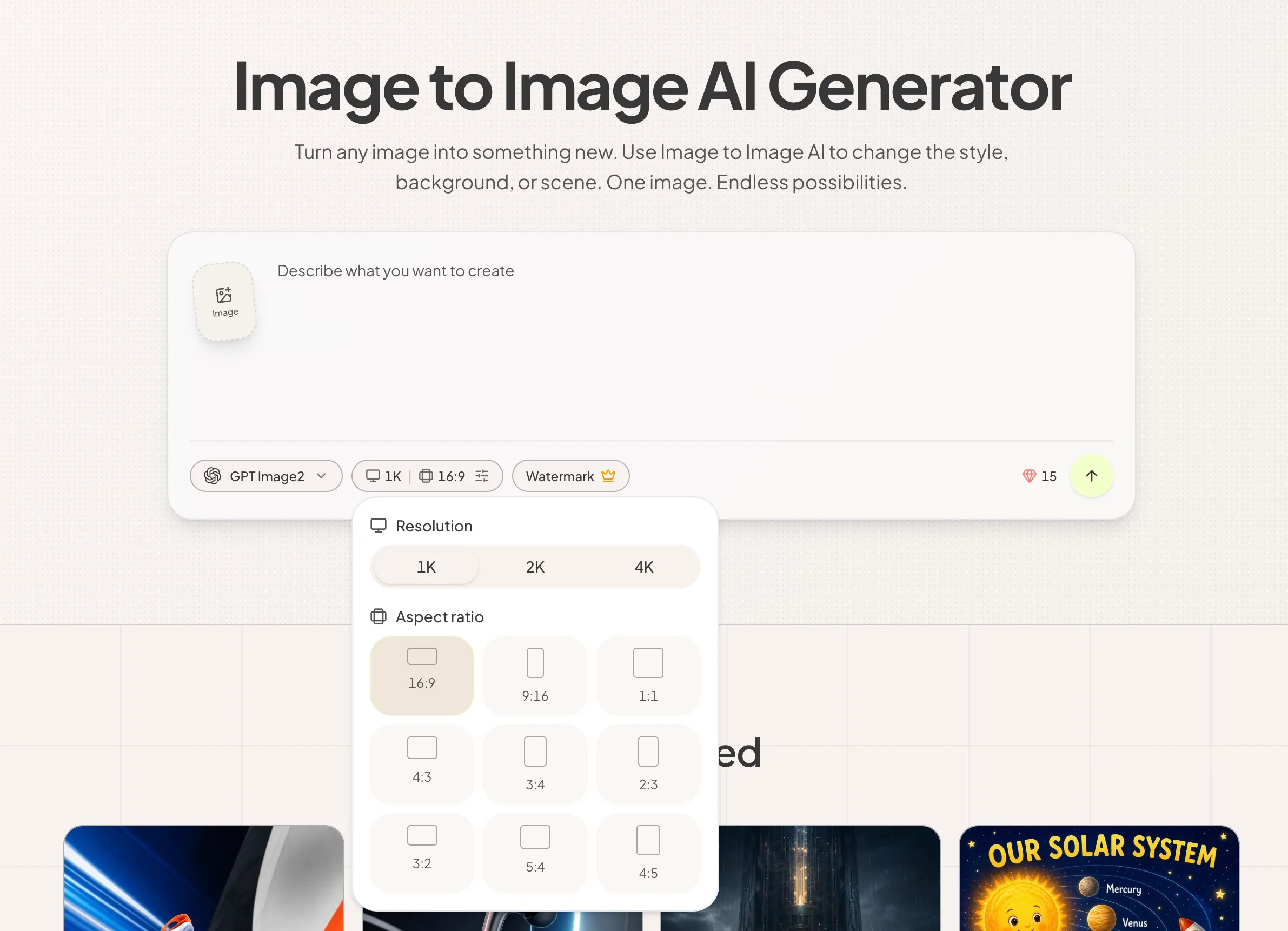
- Pick a model suited to your goal (e.g. GPT Image 2 for product fidelity, Nano Banana–class options for stylized looks)
- Set aspect ratio for the channel (1:1 catalog, 4:5 feed ads, 9:16 stories/reels)
- Choose resolution based on where you’ll publish
Step 4: Review and Refine the Result
Check:
- Is the product still accurate (shape, label, logo)?
- Does the scene match your prompt?
- Is the crop right for Shopify or ads?
If something’s off, don’t restart from scratch — change one instruction:
- “Make the marble brighter and reduce reflections.”
- “Pull the camera slightly wider; keep the bottle large.”
- “Remove the hand; product only on the counter.”
Generate again until it fits.
Step 5: Download and Use Your Image
Download the result when you’re happy.
Then put it to work wherever you sell or advertise:
- Use the lifestyle shot as a product page or catalog image
- Use the UGC-style version in Meta / TikTok ad tests
- Keep the original packshot and build a library of scenes from the same SKU
Traditional Product Photography vs. Imgtoimgai.io
| Traditional shoot | With Imgtoimgai.io |
|---|---|
| Book a photographer, studio, props, schedule | One clear product photo |
| Each new scene = another setup or retouch round | Change a sentence, generate again |
| Expensive to produce variants for every channel | Same SKU → catalog, lifestyle, and ad crops fast |
| Slow feedback loop | Minutes per concept |
You still need good taste and a solid source photo. You don’t need a full shoot every time you want a new lifestyle image or ad creative.
Tips for Better Image-to-Image Results
Start with a Clear Image
Garbage in, garbage out. Sharp product, readable label, decent lighting on the source.
Say What Must Stay the Same
Add a line like: Keep the product packaging, logo, and label text accurate.
Name the Channel
“Shopify product photo,” “Meta ad poster,” or “TikTok cover” helps the model bias toward the right framing.
One Change at a Time When Refining
If a result is 80% right, adjust lighting or crop or props — not everything at once.
Use Two Tracks
- Track A: simple lifestyle for the store
- Track B: bold UGC poster for ads
That’s how you get leverage from a single upload.
Conclusion
AI image quality is no longer the bottleneck. The bottleneck is workflow.
With an image-to-image AI generator like Imgtoimgai.io, you can:
- Upload your product image
- Describe the scene in plain English
- Optionally run a premium UGC-style ad template
- Download and publish
What used to mean briefing a shooter, booking a set, and waiting on retouching can now start with one photo and a clear sentence.
One image. Endless possibilities.