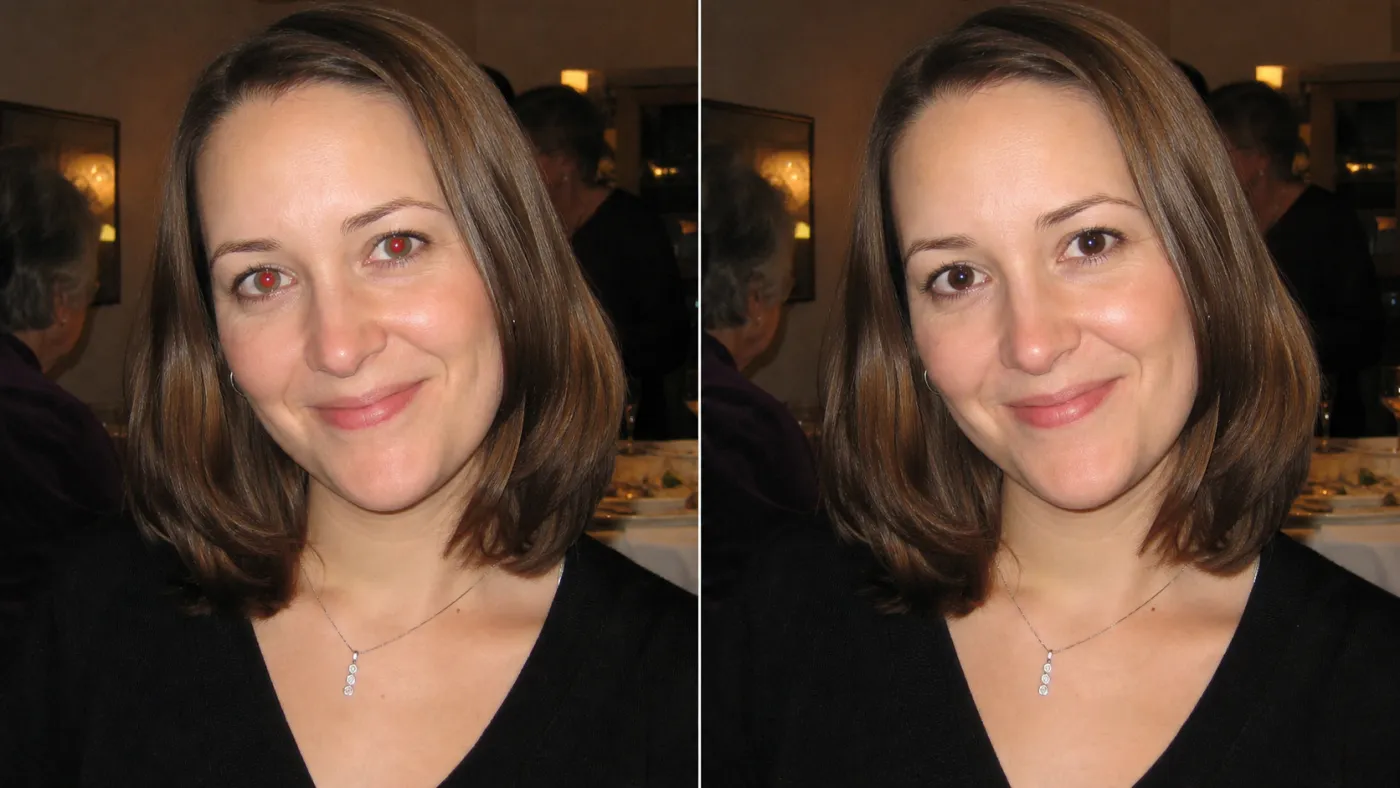
You just got back from a birthday party, a family dinner, or a late-night concert — and the photos look perfect. Except for one thing: everyone's eyes are glowing an unnatural, alien red. That's the red-eye effect, and it has been ruining otherwise great memories since the dawn of flash photography. The good news is that fixing it today takes less than a minute, and you don't need Photoshop or any design skills to do it.
This guide walks you through exactly why red eye happens, what traditional methods get wrong, and how to remove red eye from photos quickly, freely, and with results that actually look natural.
What Causes Red Eye in Photos?
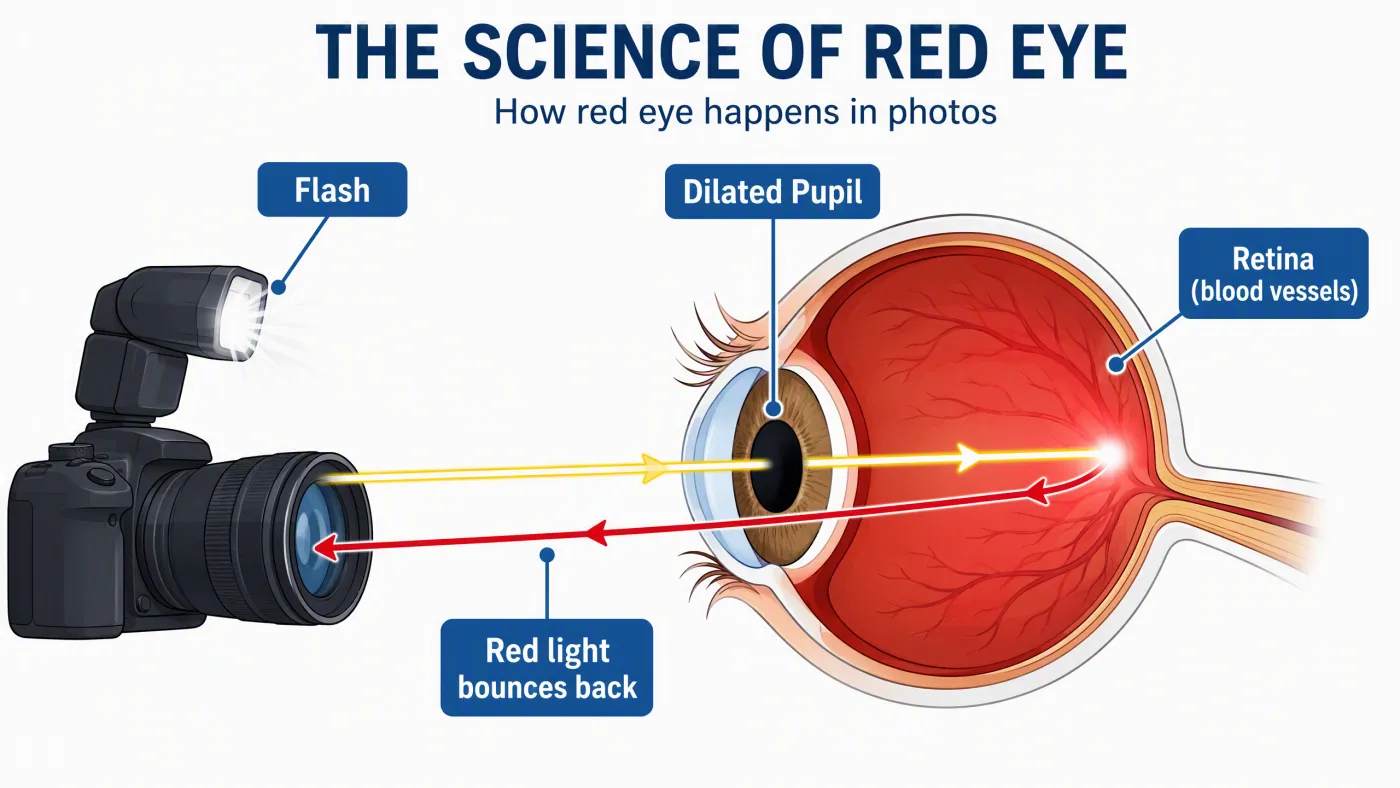
The diagram traces the full path: 1. camera flash, 2. light entering the dilated pupil, 3. red reflection from the blood-rich retina, and 4. reflected light returning to the camera lens.
Red eye is not a camera defect or a software glitch — it is a predictable optical phenomenon rooted in the anatomy of the human eye. In dim lighting, the pupil dilates (opens wide) to let in as much light as possible. When a camera flash fires at close range, a burst of light floods through that wide-open pupil and strikes the retina at the back of the eye. The retina is densely supplied with blood vessels — specifically, the choroid layer behind it. That blood absorbs most wavelengths of light but reflects red back toward the camera lens, especially when the flash sits close to the lens (as on most smartphones and compact cameras). The result: a photograph with glowing crimson pupils.
Several factors make red eye worse:
- Low ambient light — pupils stay fully dilated, maximizing light entry
- Flash-to-lens proximity — built-in camera flashes are the biggest culprit
- Direct eye contact with the camera — looking slightly away reduces the reflection angle
- Lower melanin levels — people with lighter eye colors tend to experience more pronounced red eye
- Children — their pupils react more slowly, leaving them more vulnerable
Why Pet Eyes Glow Differently
Dogs, cats, and most nocturnal animals have a specialized reflective tissue behind the retina called the tapetum lucidum — a biological mirror that boosts night vision by reflecting light back through the photoreceptors a second time. This is why your pet's eyes glow green, yellow, or electric blue in flash photos instead of red. The science is the same; the anatomy is different. A quality red-eye removal tool must handle both cases.
Traditional Red Eye Removal Methods (And Their Limitations)
Before AI-powered tools existed, photographers relied on manual software controls to fix red eye. Each method has its place, but each carries real trade-offs.
| Method | Best For | Main Limitation |
|---|---|---|
| Adobe Photoshop Red Eye Tool | Professionals with a license | Requires software install and a learning curve |
| Apple Photos (Mac/iPhone) | Apple ecosystem users | Limited to one platform; manual per eye |
| Google Photos auto-fix | Quick mobile edits | Inconsistent; often misses subtle cases |
| GIMP (free desktop) | Budget-conscious editors | Complex interface and time-consuming |
| Camera's built-in red-eye reduction | Prevention only | Doesn't fix already-taken photos |
The deeper problem with most traditional tools is not complexity — it's quality. A basic red-eye corrector works by identifying red pixels in the pupil area and painting them dark gray or black. This creates what photographers call the “dead black eye” or “doll eye” effect: a flat, lifeless circle where a vibrant eye used to be. The natural sparkle of the eye (called a catchlight — the bright white glint that makes eyes look alive) gets erased along with the red glow, leaving the person looking vacant or even slightly unsettling.
How to Remove Red Eye in Photos Using AI (The Better Way)
AI-powered red-eye removal solves the core problem that manual tools cannot: it distinguishes between the flash-induced red glare and the actual anatomy of the eye, preserving the iris color, pupil depth, and those critical catchlights. Imgtoimgai.io Red Eye Remover is one of the clearest examples of this approach — it runs entirely in the browser and handles both human portraits and pet photos.
Here's how the process works:
Step 1: Upload Your Photo
Go to Imgtoimgai.io Red Eye Remover and drag your photo into the upload zone or click to browse your files. The tool accepts JPG, JPEG, PNG, and WebP — the formats that cover virtually every photo from a smartphone or digital camera. There is no software to install and no app to download; the entire process runs in your web browser.
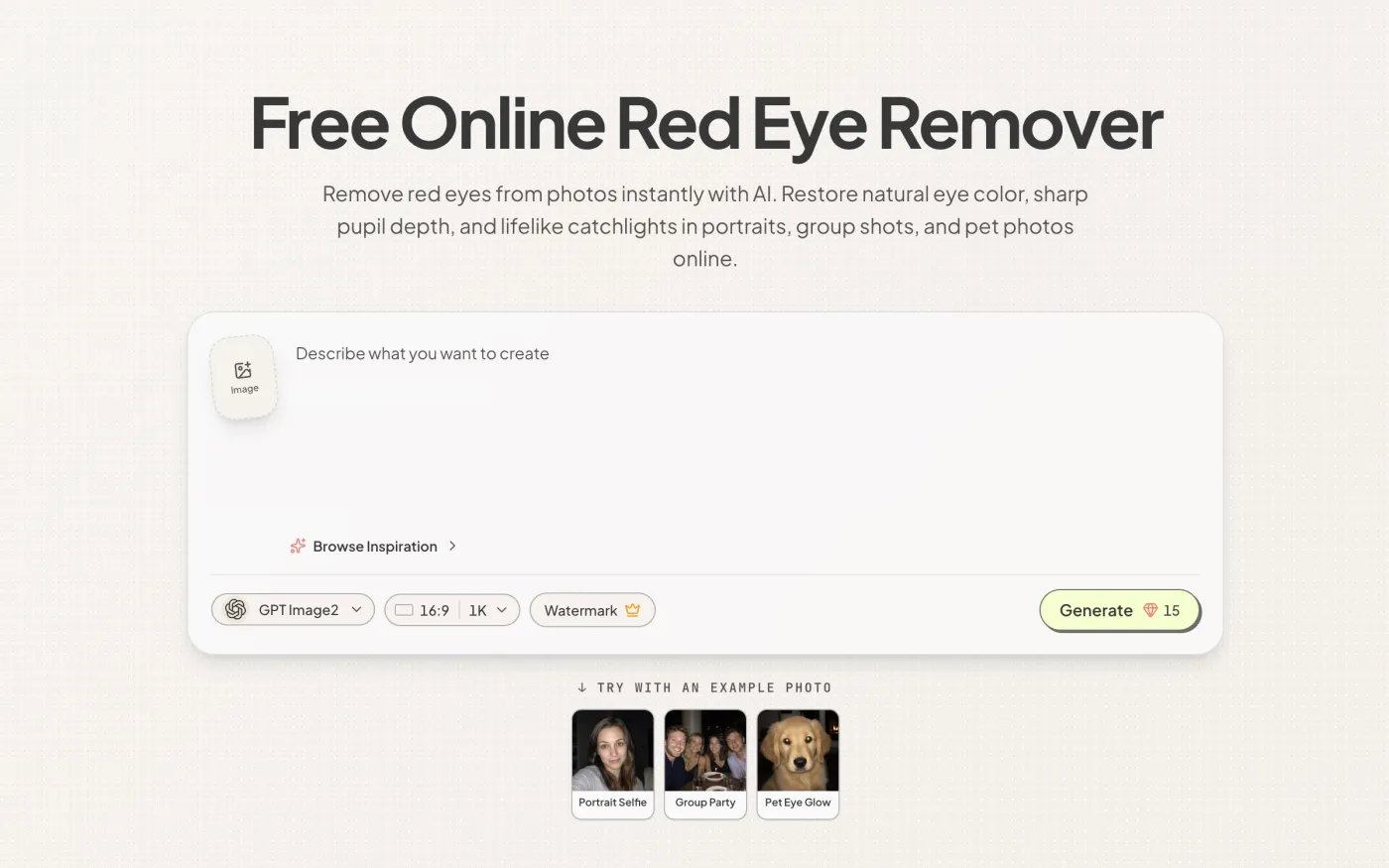
Step 2: Let the AI Detect and Fix the Eyes
Once uploaded, the AI immediately scans the image for facial landmarks and pupil areas. Unlike a manual “click on the red part” approach, the system automatically:
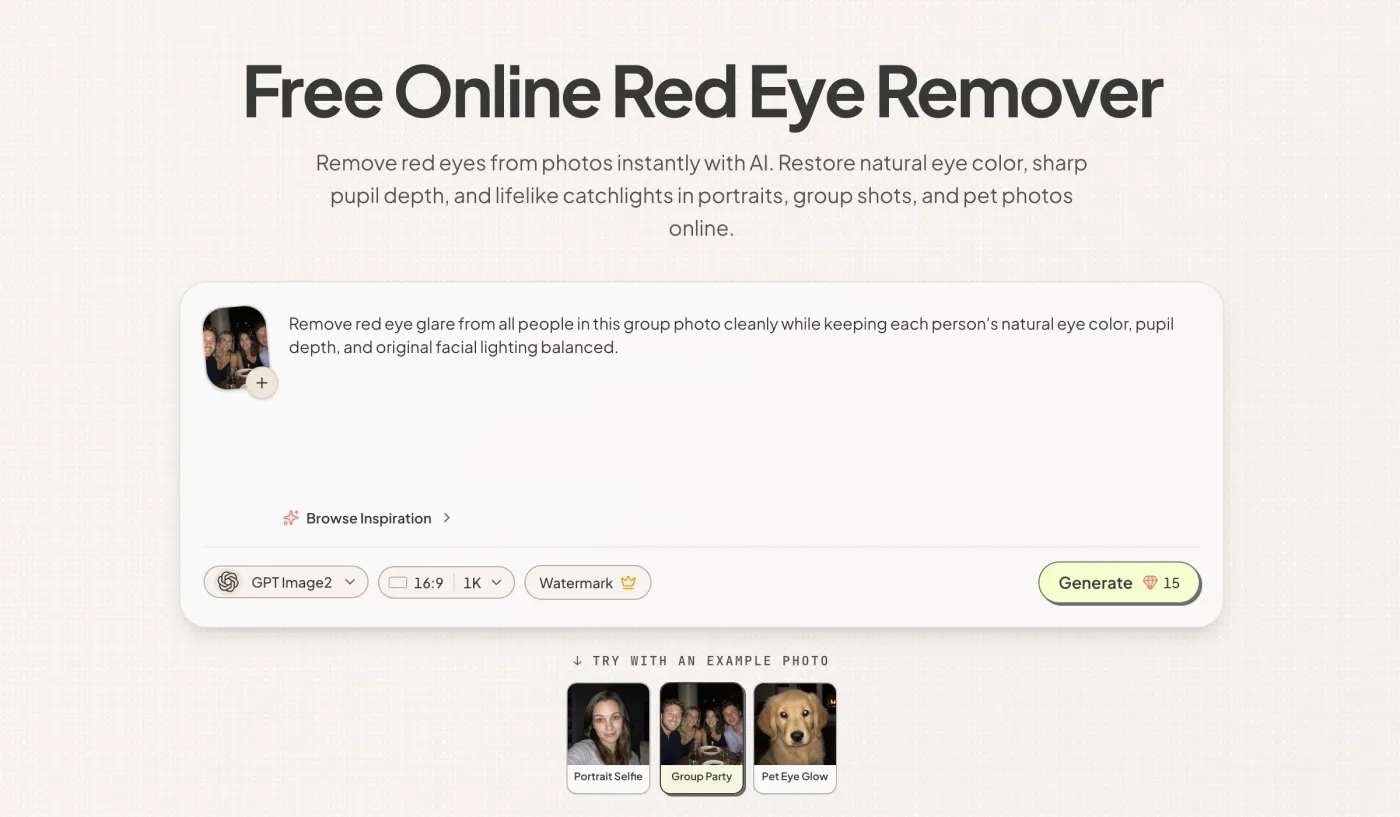
- Locates every face in the frame — including wide group shots with multiple subjects
- Identifies the exact pupil area affected by flash reflection
- Distinguishes the blood-induced red glow from the natural iris color (whether brown, blue, green, or hazel)
- Reconstructs subtle gradients and shadows inside the pupil
- Preserves the corneal catchlight — that small bright glint that gives eyes their lively, three-dimensional quality
For pet photos, the same AI logic applies to the green or yellow tapetum lucidum glow, restoring your pet's natural eye color while keeping fur texture and facial details intact.
Step 3: Preview and Download
After processing, you'll see your corrected photo in the result preview. When the result looks right, click the download button to save the corrected high-resolution image to your device. The original image quality is preserved throughout.
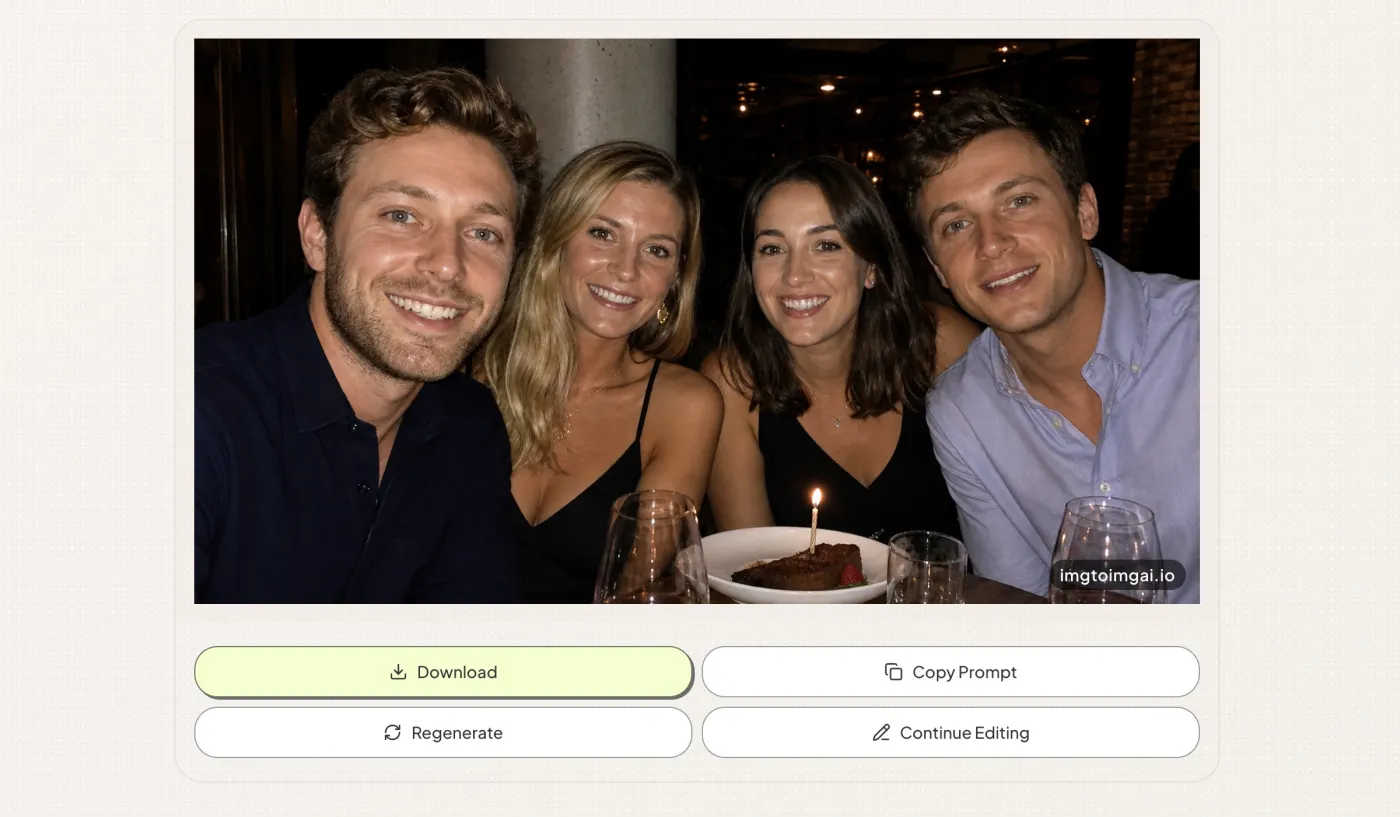
AI Red Eye Removal vs. Traditional Tools: A Direct Comparison
The real differentiator between AI-powered tools and traditional methods comes down to one question: what happens to the eye beyond the red pixels?
| Feature | Basic Editors (Photoshop, GIMP) | Imgtoimgai.io Red Eye Remover |
|---|---|---|
| Auto eye detection | Manual selection required | Automatic |
| Catchlight preservation | Often lost | Preserved |
| Natural iris color restoration | Flat black result | True iris reconstruction |
| Pet eye support (green/yellow) | Limited or manual | Built-in AI support |
| Group photo handling | One eye at a time | All faces simultaneously |
| Requires software install | Yes | No (browser-based) |
| Skill required | Moderate to high | None |
| Free to use | Paid (Photoshop) / Free (GIMP) | Free to try |
For casual photographers, families archiving memories, or anyone who simply wants red eye gone without a 45-minute Photoshop session, the AI approach is not just faster — it produces demonstrably more natural results.
When to Use Each Approach
Not every red-eye situation calls for the same solution. Here's a quick decision guide:
- One or two people, quick fix needed → Use Imgtoimgai.io Red Eye Remover for the fastest, most natural result with zero setup.
- Large group photo (10+ people) → AI tools that batch-detect multiple faces are the only practical choice.
- Pet photo with green or yellow eye glow → Use a tool specifically designed to handle tapetum lucidum reflections, like Imgtoimgai.io Red Eye Remover.
- Professional portrait requiring fine control → Photoshop with manual adjustments may offer the most precise override, though it takes significantly longer.
- Old scanned photo with degraded quality → AI tools generally outperform manual tools on low-resolution or aged images.
Tips to Prevent Red Eye Before It Happens
Removing red eye after the fact is fast, but preventing it saves a step. If you're shooting in low light:
- Turn on as many room lights as possible before shooting — smaller pupils mean less reflection.
- Enable your camera's red-eye reduction mode, which fires a pre-flash to constrict pupils before capturing the image.
- Use an external flash or bounce the flash off the ceiling to change the reflection angle.
- Ask subjects to look slightly away from the lens rather than directly into it.
- Increase your distance from the subject; a longer focal length reduces the flash-to-eye-to-lens angle.
Frequently Asked Questions
Does AI red-eye removal work on photos with multiple people?
Yes. Tools like Imgtoimgai.io Red Eye Remover scan the entire image and detect every face simultaneously, correcting all red pupils in a single operation rather than requiring you to click on each person individually.
Can I fix red eye on my iPhone without an app?
Apple Photos on iPhone includes a basic red-eye tool (tap Edit, then the red-eye icon), but it requires tapping each eye manually and often produces the flat black-circle result. An online tool like Imgtoimgai.io Red Eye Remover requires no installation and runs in Safari, giving you better results without filling up your phone storage.
Why do my eyes look like black holes after I fix red eye?
This is the “dead eye” artifact produced by basic editors that simply desaturate or darken the red pixels. A quality AI remover reconstructs the pupil's natural appearance — including the iris color and catchlight — instead of painting over it.
Will the tool affect the rest of my photo?
No. The AI operates precisely on the pupil area. Your background, skin tone, hair, clothing, and the white parts of the eye remain completely unchanged.
Is it free?
You can try Imgtoimgai.io Red Eye Remover for free after signing up. Free access covers standard use; premium plans are available for high-volume batch processing.
Conclusion
Red eye is one of the most common and most fixable problems in everyday photography. Understanding why it happens — flash light reflecting off the blood-rich retina through a dilated pupil — makes it clear why simply darkening the red pixels is never the right solution. The right fix preserves the eye's natural anatomy: the correct iris color, the depth of the pupil, and the catchlight that separates a lifeless black circle from a vibrant, realistic eye.
AI-powered tools like Imgtoimgai.io Red Eye Remover have made that level of quality accessible to anyone in three steps and under a minute, without software installs, design skills, or a paid subscription to get started. Whether you're rescuing a single portrait or fixing an entire family album, the process has never been more straightforward — or more natural-looking.