Free AI Image Combiner Online

Combine multiple images into one seamless composition. Match lighting, blend subjects, and create stunning visual scenes in seconds with AI Image Combiner.

Aspect ratio
Resolution

↓ Quick Prompt Presets

Key Features of AI Image Combiner

Discover the powerful capabilities that make AI Image Combiner the best choice for creators, marketers, and businesses.

01

Intelligent Lighting and Shadow Harmonization

Traditional photo editing tools just paste one image over another, creating harsh outlines and mismatched light. AI Image Combiner analyzes light direction, color temperature, and surface reflections across both source photos. AI Image Combiner relights your subject and adds realistic contact shadows so the final image looks like a genuine single photograph.

Try AI Image Combiner Free
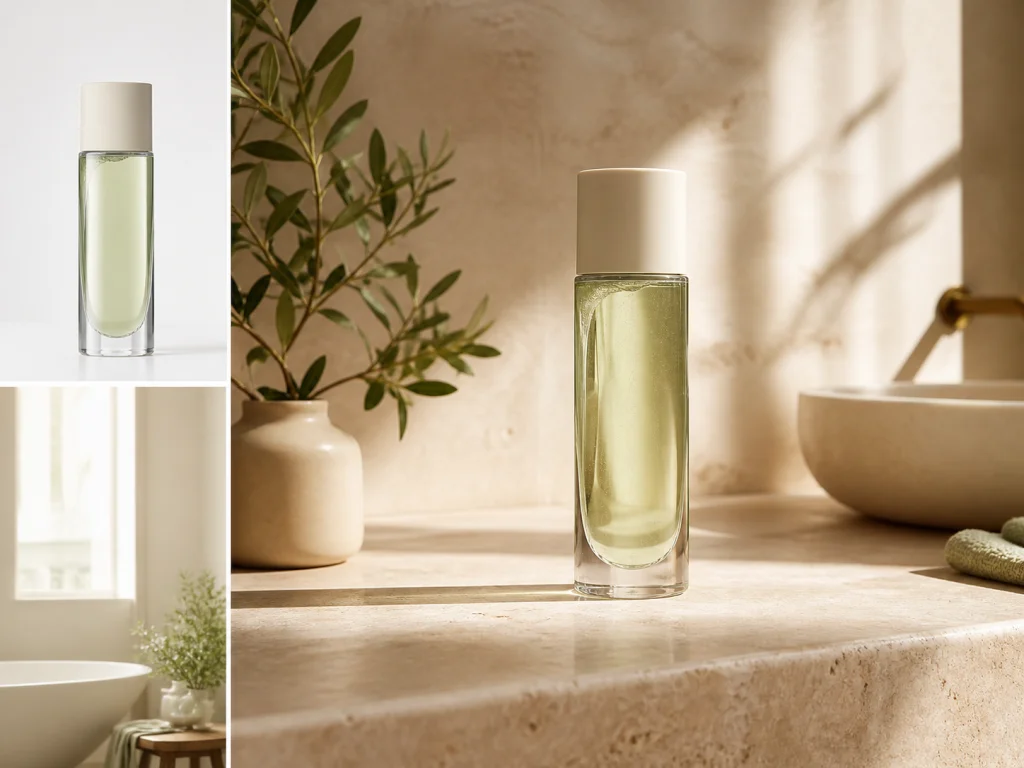
Green glass bottle placed on a sunlit bathroom counter
02

Seamless Edge Blending with Zero Halos

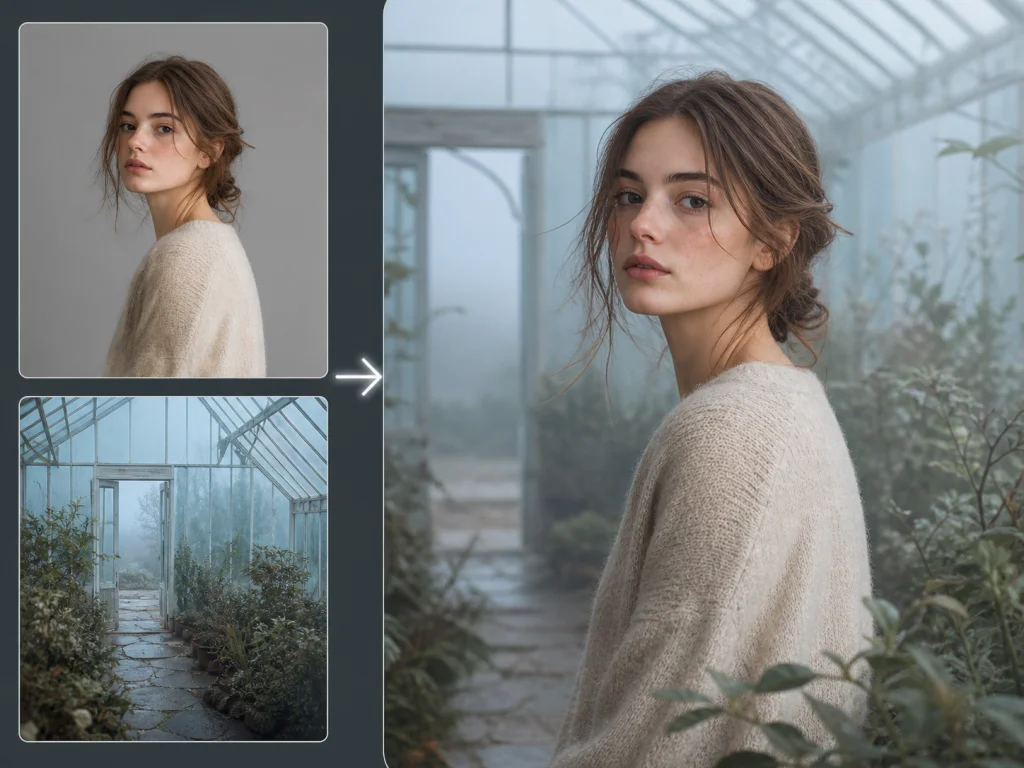
Avoid the pasted-on sticker look of basic editors. AI Image Combiner naturally blends tricky boundaries—like flyaway hair, translucent glass, and soft fabrics—into the new environment, eliminating harsh cutout lines and glowing fringes.

Start Combining Images Online
Portrait and greenhouse inputs blended with seamless hair and sweater edges
03

Control Every Detail in Plain Words

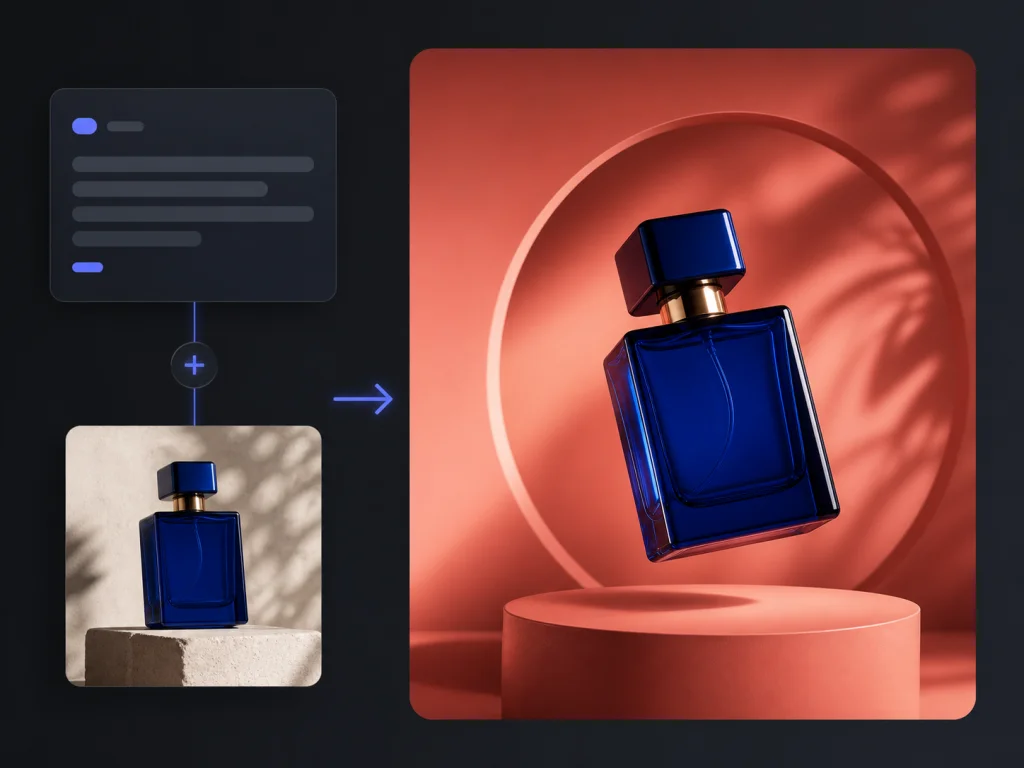
Decide exactly what to keep, replace, or tweak with simple text instructions. Specify subject placement, camera angles, lighting mood, or background depth without touching complicated tools. You get full creative control over how your images merge simply by describing what you want.

Explore AI Image Combiner Presets
Perfume bottle combined onto a terracotta pedestal from a text prompt
04

Combine Multiple Reference Images at Once

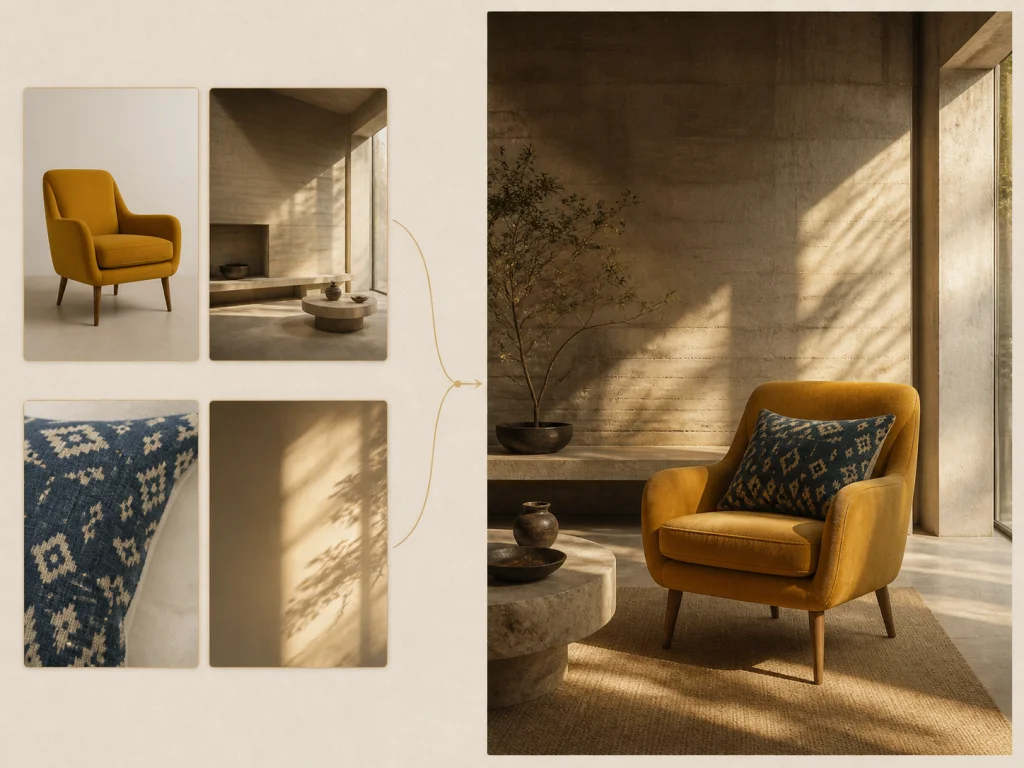
Most basic tools only let you blend two pictures together. AI Image Combiner supports multi-image generation with up to 10+ reference photos in a single request. You can upload a main subject, a background scene, a lighting reference, and specific clothing or texture ideas all at once. AI Image Combiner interprets all visual inputs and builds one unified composition.

Combine Reference Photos with AI
Multiple reference images merged into one interior scene
05

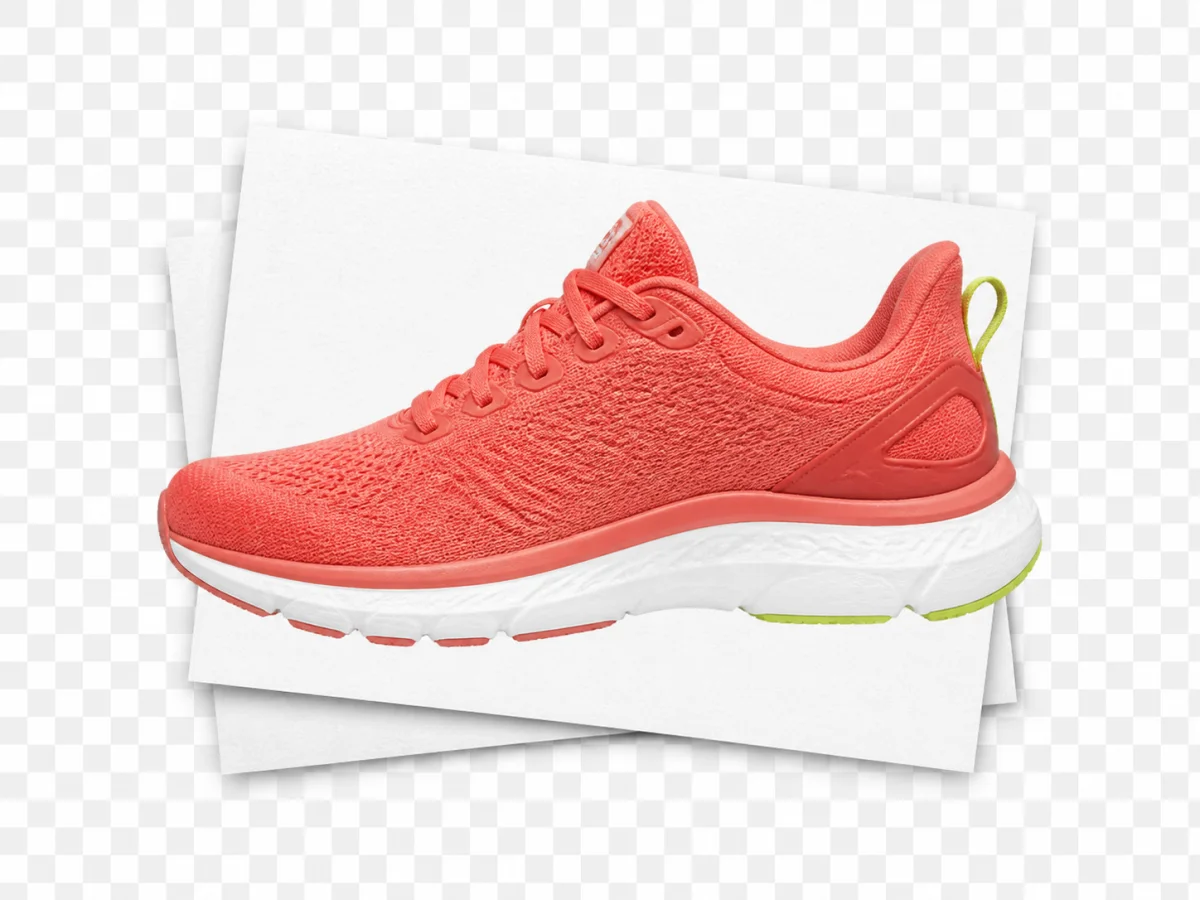
High-Resolution Commercial Quality

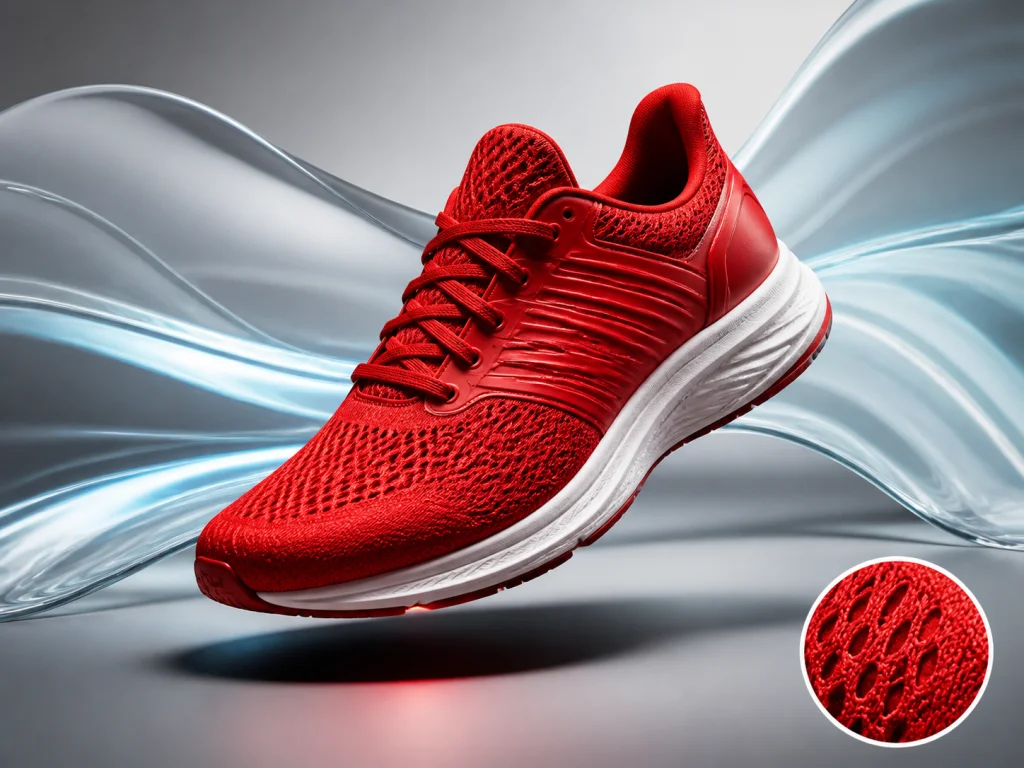
Output crisp, clean visuals ready for high-impact marketing campaigns, e-commerce storefronts, social media feeds, and print materials. AI Image Combiner preserves fine textures, sharp product details, and authentic skin tones without compression artifacts or blurriness. AI Image Combiner ensures commercial-grade clarity on every export.

Generate High-Res Images Now
Red running shoe with a magnified mesh close-up

What Is AI Image Combiner?

AI Image Combiner is a web-based creative tool that merges multiple pictures into one unified scene. By balancing shadows, camera angles, and ambient lighting in real time, it turns separate uploads into realistic product photos, ad banners, and styled portraits in a few clicks.

Unlike basic grid apps that only place photos next to each other, AI Image Combiner rebuilds the whole scene from your visual references:

  • Protects subject identity: AI Image Combiner keeps the face, product silhouette, or pet clearly defined while placing it into a fresh setting.
  • Harmonizes ambient light: AI Image Combiner balances color tones, highlights, and contact shadows so the foreground sits naturally on the surface.
  • Cleans up outlines: AI Image Combiner softens edges and blends fine details like hair or fabric so there are no visible cutout lines.

From catalog mockups to social media visuals, AI Image Combiner gives you clean, studio-quality composites without manual editing software.

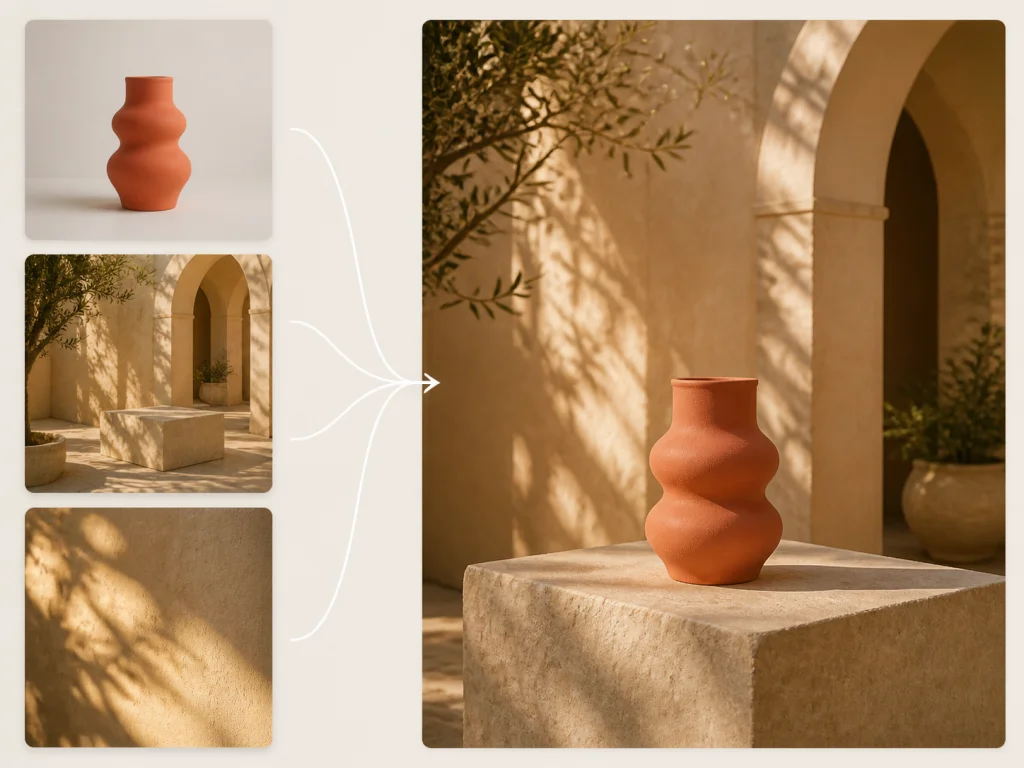
Three visual references combined into a coral vase in a sunlit Mediterranean courtyard

How to Use AI Image Combiner in 3 Simple Steps

  1. 01
    Upload Your Reference Photos

    Drop your source images into the uploader. Upload your subject, background, lighting, or style references—with support for up to 10+ images at once. Supports common formats such as JPG, PNG, and WebP.

  2. 02
    Describe Your Scene or Pick a Preset

    Tap any of our 5 quick prompt presets to fill in a handy prompt shortcut, or write instructions in your own words. Tell the AI what you want to create and how the elements should come together.

  3. 03
    Generate and Download

    Click Generate and let AI Image Combiner blend your photos. Review the blended lighting, realistic shadows, and clean edges, then download your high-resolution image right away.

Real-World Use Cases for AI Image Combiner

Explore how creators, online sellers, and marketing teams use AI Image Combiner to produce high-impact visuals every day.

E-Commerce Photography
Create Realistic Product Lifestyle Photos with AI Image Combiner

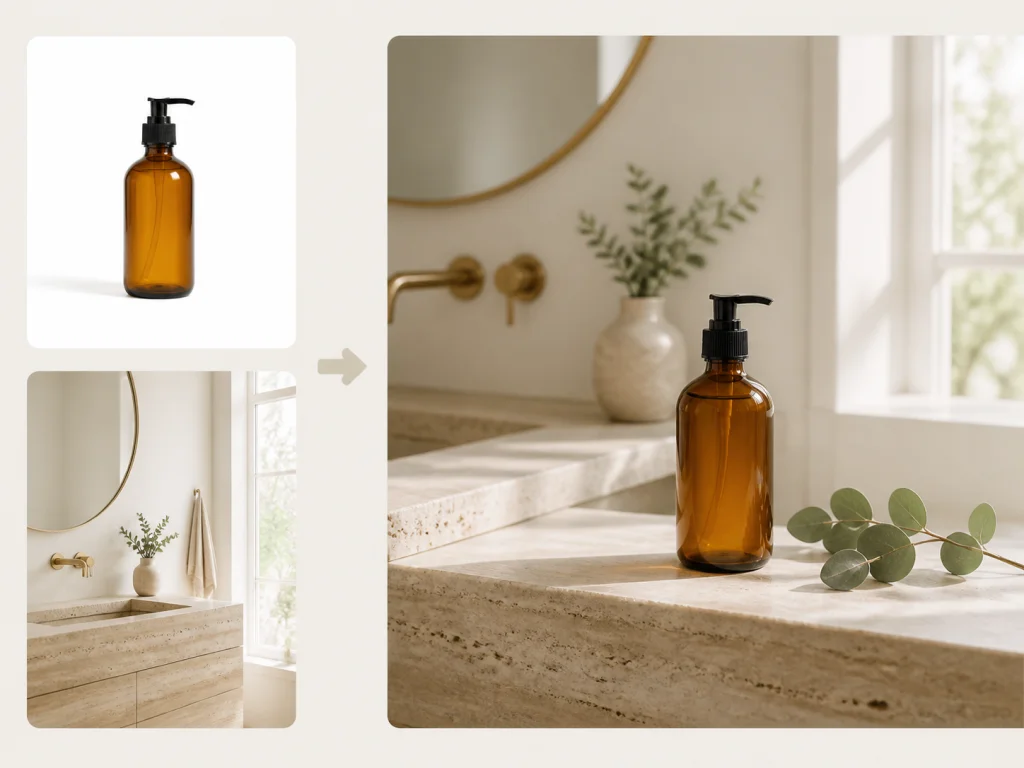
Taking professional product photos in multiple lifestyle locations costs thousands of dollars in studio rentals, props, and lighting equipment. With AI Image Combiner, e-commerce store owners and DTC brands can take a simple cutout of their product and blend it into any luxury interior, outdoor patio, or modern kitchen. AI Image Combiner automatically generates accurate contact shadows on tabletops, matches ambient room light, and creates realistic reflections on glass and metal surfaces. AI Image Combiner delivers commercial-grade catalog images in seconds.

Skincare bottle combined into a Scandinavian bathroom scene
Digital Advertising
Build Eye-Catching Ad Visuals Using AI Image Combiner

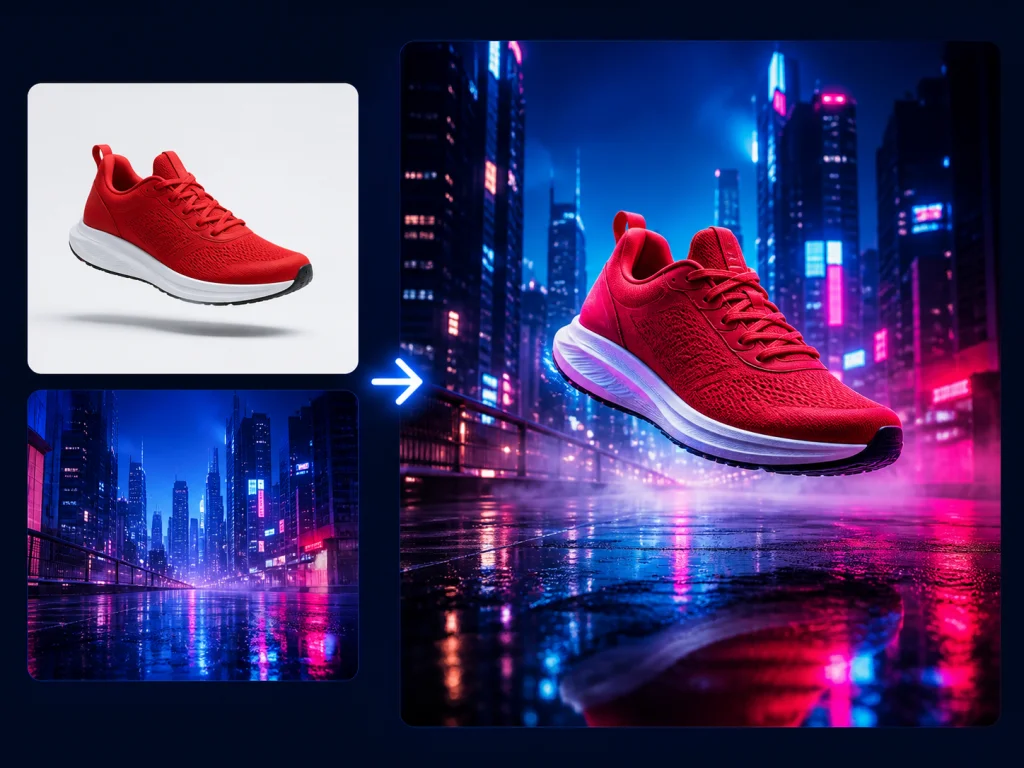
Performance marketing teams need to test fresh ad variations constantly to maintain high click-through rates. AI Image Combiner allows marketers to combine hero product images with trending color palettes, futuristic neon backgrounds, or seasonal holiday themes without reshooting assets. AI Image Combiner blends the subject into high-contrast creative environments while keeping branding and product details sharp, making your social ads stand out in fast-scrolling feeds thanks to AI Image Combiner.

Running sneaker merged into a neon cityscape ad visual
Real Estate & Interior Design
Stage Vacant Rooms and Preview Furniture with AI Image Combiner

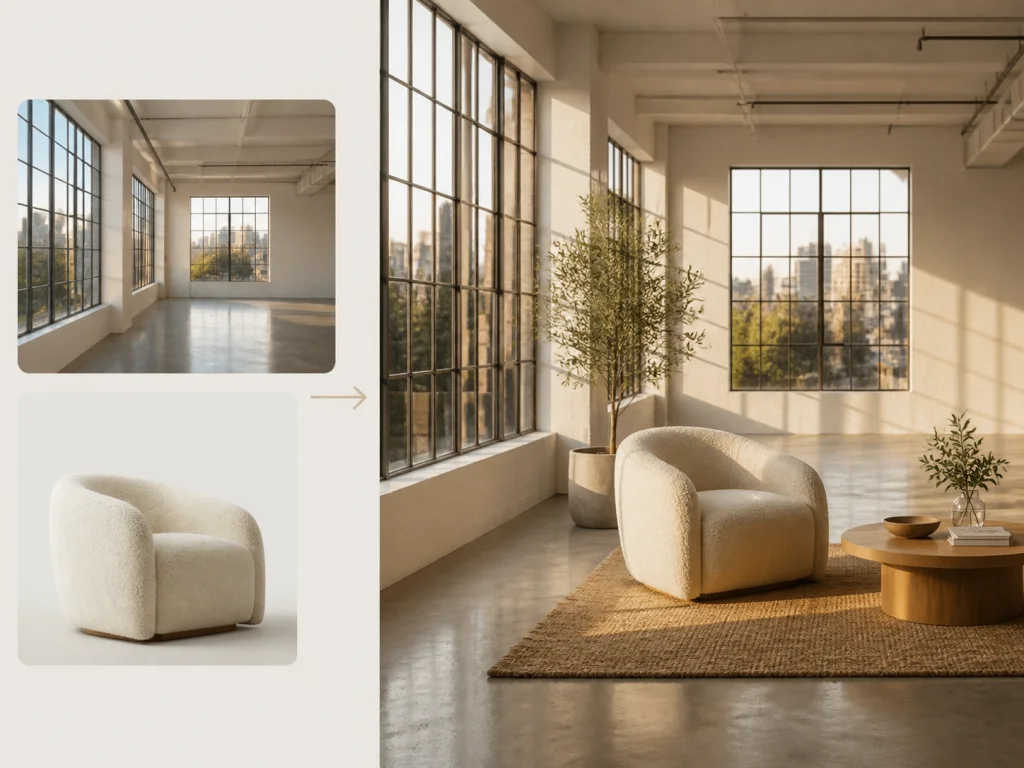
Real estate agents and interior designers often struggle to help clients imagine how an empty room will look once furnished. Using AI Image Combiner, you can upload a photo of a vacant room alongside photos of specific sofas, dining tables, or wall art. AI Image Combiner calculates the perspective of the room walls and floors, placing the furniture with correct spatial scale, natural drop shadows, and matching room lighting. AI Image Combiner provides instant visual staging at a fraction of traditional staging costs.

Boucle armchair staged inside a sunlit loft
Event Promotion & Marketing
Design Striking Event Posters with AI Image Combiner

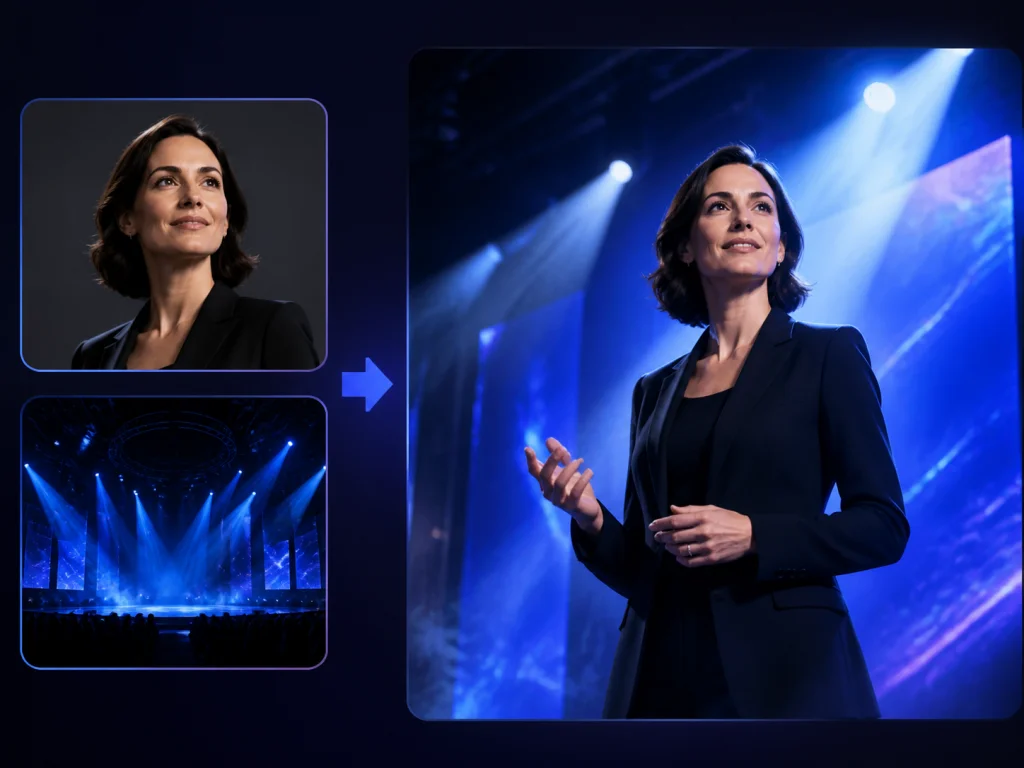
Promoting conferences, webinars, music festivals, and live events requires dramatic promotional artwork that captures audience attention. AI Image Combiner lets you combine headshots of keynote speakers, artists, or hosts with energetic stage lights, smoke textures, or branded abstract backgrounds. AI Image Combiner harmonizes color temperature across faces and clothing, ensuring every speaker looks like an integral part of the event theme via AI Image Combiner.

Woman speaker blended onto a blue-lit conference stage
Concept Art & Social Avatars
Fuse Portraits with Artistic Styles Using AI Image Combiner

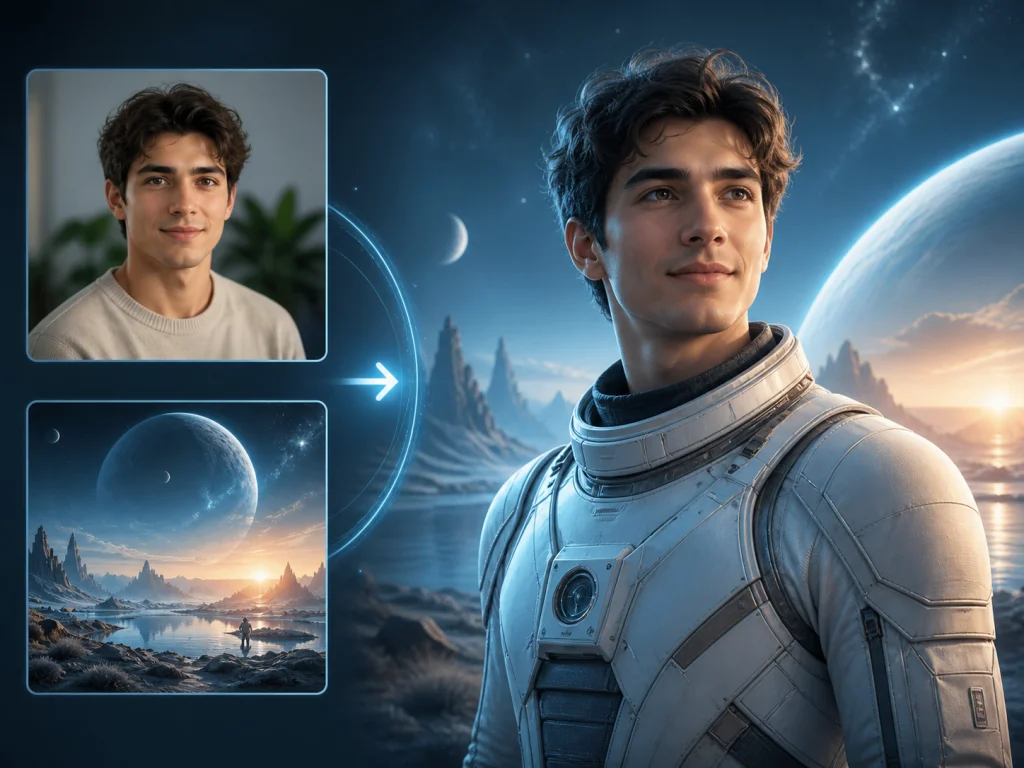
Digital creators, gamers, and storytellers frequently want custom avatars that reflect their real facial identity while adopting fantasy, cyberpunk, or cinematic aesthetics. With AI Image Combiner, you can upload a clear selfie alongside an inspirational character costume or fantasy background. AI Image Combiner preserves your recognizable facial structure, eye shape, and smile while seamlessly rendering customized fantasy outfits and atmospheric lighting around you. AI Image Combiner makes personal avatar design effortless.

Portrait fused with sci-fi explorer concept art

Frequently Asked Questions About AI Image Combiner

What is AI Image Combiner?

AI Image Combiner is an online tool that blends multiple photos into one natural image. It takes your subject and places it into a new scene, automatically matching lighting, depth, and shadows so the final picture looks authentic.

How does AI Image Combiner differ from a traditional photo collage?

A collage maker only places separate photos into side-by-side grid boxes. AI Image Combiner actually understands what is in your pictures. It takes the subject from one photo, places it inside a new environment, and blends lighting, shadows, and reflections so everything looks like a single, real photograph.

Can I try AI Image Combiner for free?

Yes. You can start with a free account to test your ideas and see how your photos blend. High-volume creation and commercial licensing are available on our paid plans, so you can explore the tool first and upgrade whenever you need more.

What kinds of photos work best in AI Image Combiner?

Clear, well-lit photos give you the best results. Upload a distinct subject (such as a person, product, or pet) alongside your desired background or lighting reference. High-contrast images help the AI detect edges cleanly and balance lighting with ease.

Will AI Image Combiner keep faces and products recognizable?

Yes. AI Image Combiner preserves facial likeness, product shapes, and defining details while adapting to the new lighting and background. You can also add a quick note in the prompt box—such as "keep the face from photo 1"—to ensure a tight match.

Can I use images from AI Image Combiner for commercial projects?

Yes, as long as you are on an active paid plan. Paid subscribers can freely use their generated images for marketing ads, Amazon and Shopify stores, client deliverables, and print. Free creations are strictly for personal, non-commercial use. Please make sure you have the rights to any original photos you upload.

Does AI Image Combiner work on mobile phones?

Yes. AI Image Combiner runs smoothly inside your mobile browser on iPhone, iPad, and Android devices. Upload your photos and create new composites on the go without installing extra apps.

What image file formats are supported by AI Image Combiner?

AI Image Combiner supports common image formats such as JPG, PNG, and WebP. Higher-resolution source photos produce the cleanest, sharpest final results.

Can I combine more than two photos at once with AI Image Combiner?

Yes. AI Image Combiner supports up to 10+ reference images in a single generation. You can upload a main subject, background scene, lighting reference, and extra clothing or texture ideas together to direct your new image.

Ready to Merge Your Photos with AI Image Combiner?

Upload your photos and create seamless, studio-grade compositions in seconds.