Free Online AI Smile Filter

Add a natural, confident smile to any photo in seconds.

Aspect ratio
Resolution

↓ Try with an example photo

How to Use AI Smile Filter

  1. 01
    Upload your photo

    Drag and drop your photo into the upload box, or click to choose a file from your phone or computer. We support JPG, JPEG, PNG, and WebP formats. Clear, well-lit portraits and group photos give the best results.

  2. 02
    Pick a sample or write a prompt

    Click one of our example cards under the converter to load a ready-to-go prompt, or type your own instructions into the box. You can ask for a soft grin, a warm closed-mouth smile, or a big laugh.

  3. 03
    Generate your smile

    Click the Generate button. The AI analyzes your facial features and creates a natural smile in seconds. You can preview the before-and-after comparison directly on your screen to check how your new expression looks.

  4. 04
    Download your photo

    Click the Download button to save your high-resolution photo to your device. Your new smiling picture is ready to use for social media posts, resumes, dating apps, or family albums.

AI Smile Filter Use Cases

01

Professional Headshots & LinkedIn Profiles

In professional settings, your facial expression shapes how people see you. Even with great lighting and sharp focus, a serious or neutral face on LinkedIn can make you look distant or hard to approach. Our AI Smile Filter lets you upgrade your existing headshot without booking an expensive studio reshoot. The AI adds a gentle, confident smile that matches your original lighting, facial angles, and skin tone. You get a warm, trustworthy portrait that helps you stand out to recruiters, clients, and new connections.
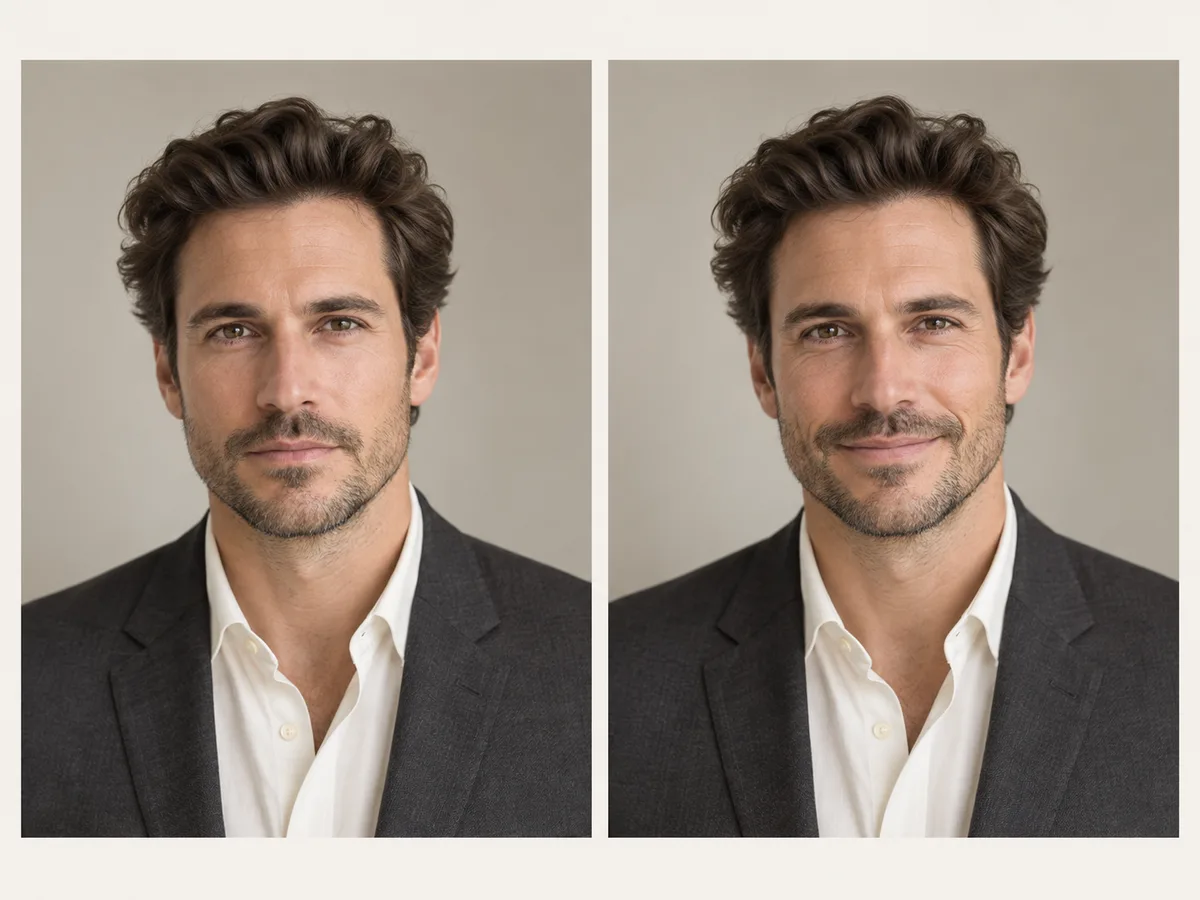

Side-by-side headshot comparison of a professional man in a charcoal suit turning a serious expression into a confident smile
02

Group Photos & Family Portraits

Getting everyone to smile at the exact same second in a group photo is almost impossible. A wedding, holiday, or team snapshot often gets ruined because one person looked away, blinked, or forgot to smile. Instead of throwing away a great photo, our AI Smile Filter lets you fix individual expressions in seconds. The AI detects the unsmiling face and adds a natural smile that blends with the group's lighting and energy. The result is a balanced, joyful memory where everyone looks happy to be there.

Family portrait on a sofa with an inset before-shot showing the father's serious expression corrected to a natural smile
03

Dating Apps & Social Media Selfies

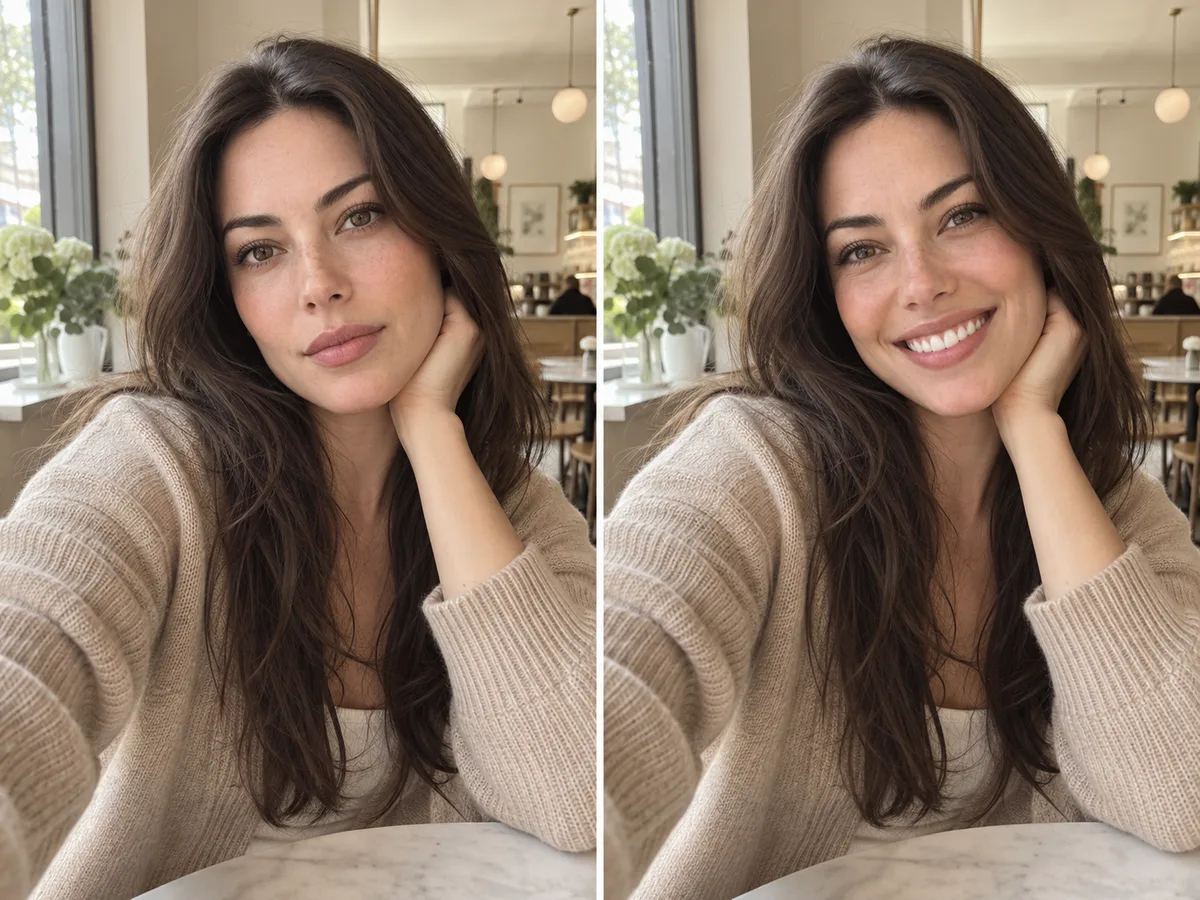
On dating apps and social platforms, smiling photos get significantly more likes, matches, and replies. But forcing a smile in front of a phone camera often looks stiff or awkward. With our AI Smile Filter, you can turn a relaxed, casual selfie into a bright, spontaneous smile in seconds. The AI lifts your cheeks and softens your eyes naturally, making your smile look like a real moment of laughter rather than a pose. It helps you look warm and approachable across Tinder, Hinge, and Instagram.

Side-by-side comparison of a woman's cafe selfie with a resting expression transformed into a bright toothy smile
04

ID Badges, Passports & Membership Cards

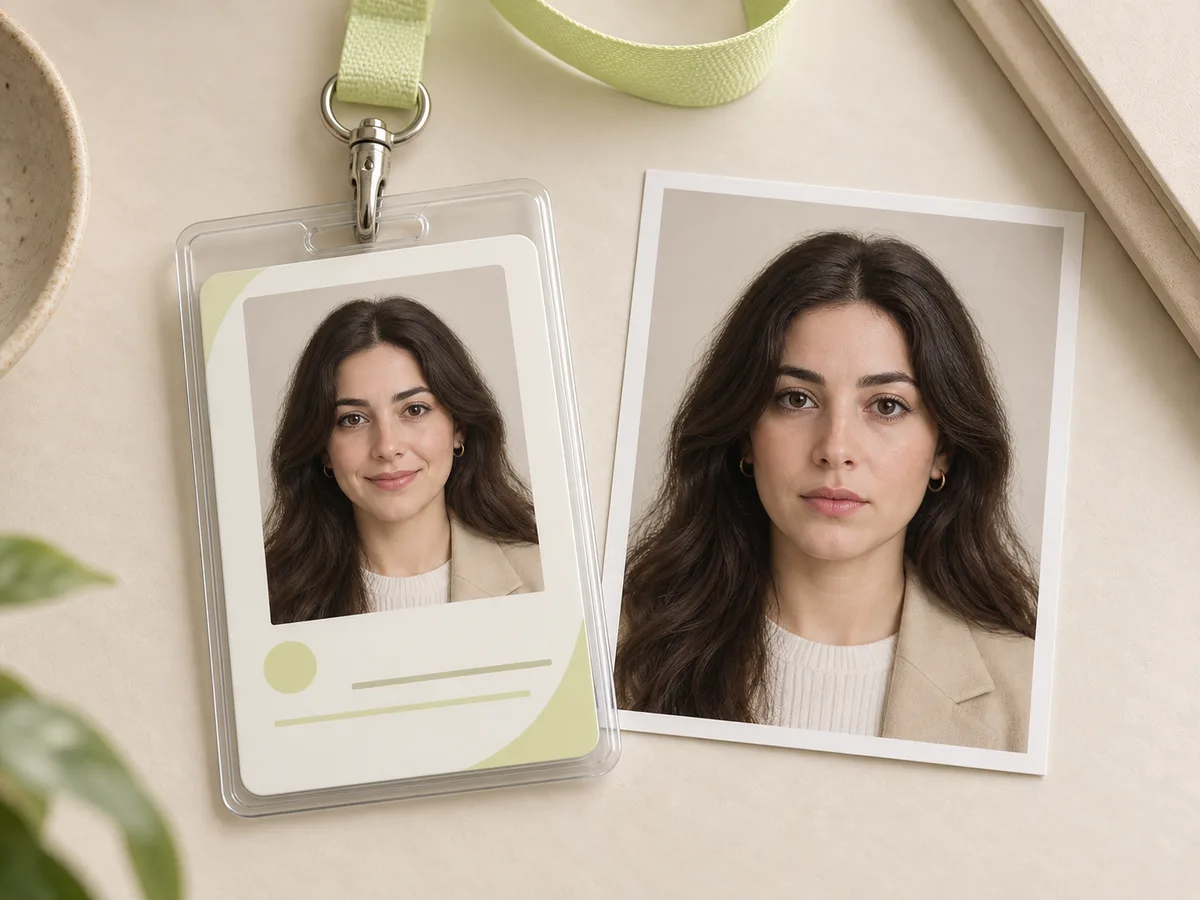
Most official ID and badge photos force you to keep a flat, neutral expression. This often leaves you with a cold or grumpy look on your daily work badge or membership card. Our AI Smile Filter softens facial tension by adding a polite, approachable closed-mouth smile. It preserves your natural facial features, proportions, and lighting so you still look clearly like yourself. You get a friendly, professional badge photo you feel good about wearing every day.

Employee ID badge and photo comparison showing a serious headshot softened into a polite closed-mouth smile

Key Features of AI Smile Filter

Discover why creators, job seekers, and photographers rely on AI Smile Filter to bring warmth and emotion to their photos.

01

Natural and Believable Smiles

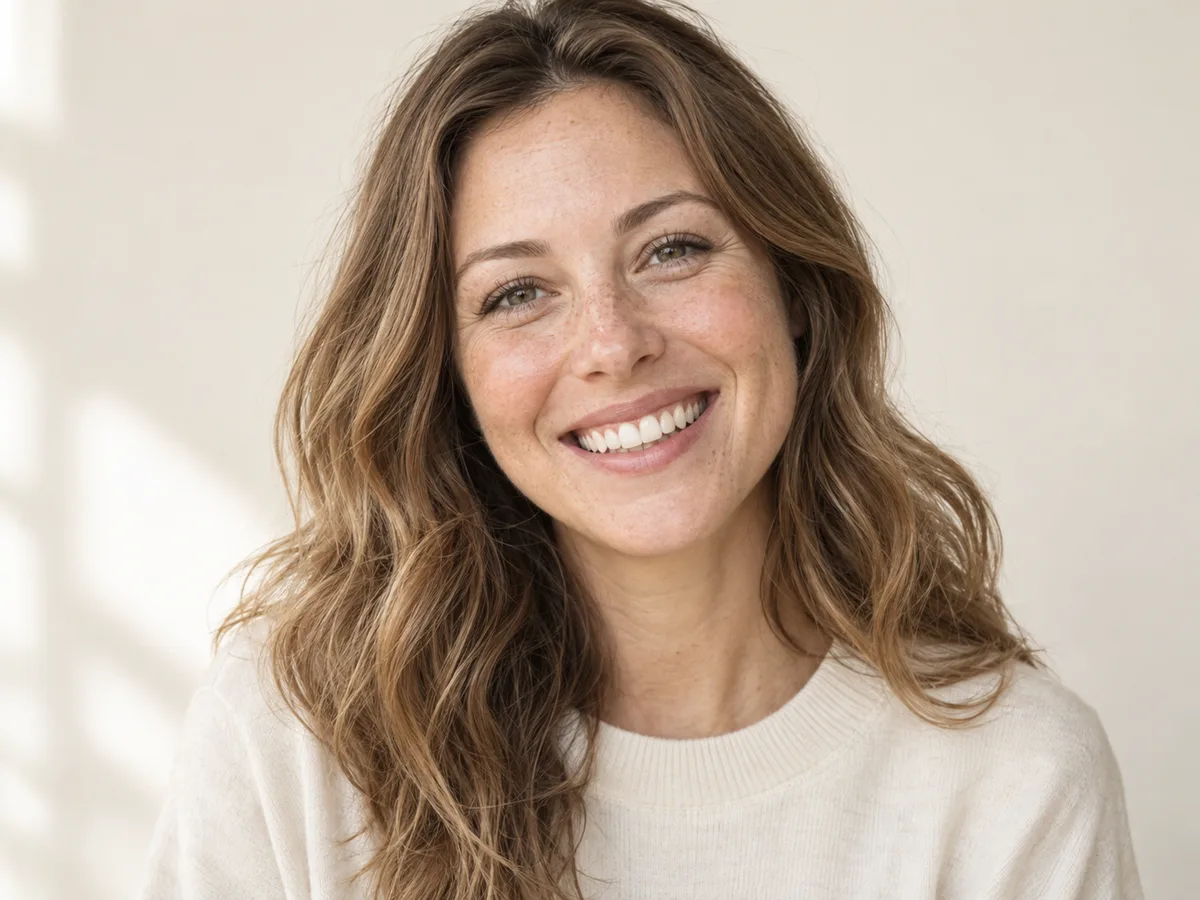
Basic photo apps just stretch your lips, which makes you look fake. AI Smile Filter moves your whole face naturally. It lifts your cheeks, softens your eyes, and shows clean, realistic teeth. Your smile looks like a real moment of happiness.

Try AI Smile Generator
Close-up portrait of a smiling woman with natural teeth, eye crinkles, and warm skin texture
02

Your Real Face and Background Stay Unchanged

You don't have to worry about looking like someone else. The AI only updates your facial expression. Your facial features, skin tone, hair, clothes, and background stay completely unchanged.

Add a Smile to Photo Online Free
Lifestyle portrait of a smiling red-haired woman with preserved facial features, knit sweater, and background room details
03

Fix Unsmiling Faces in Group Photos

You don't have to edit people one by one. AI Smile Filter spots multiple faces in party, wedding, or family shots and adds a warm smile to anyone who looked serious or forgot to smile.

Fix Group Photos with AI Smile Filter
Group photo of four friends smiling naturally together at a celebration dinner table
04

Choose Any Smile Style You Want

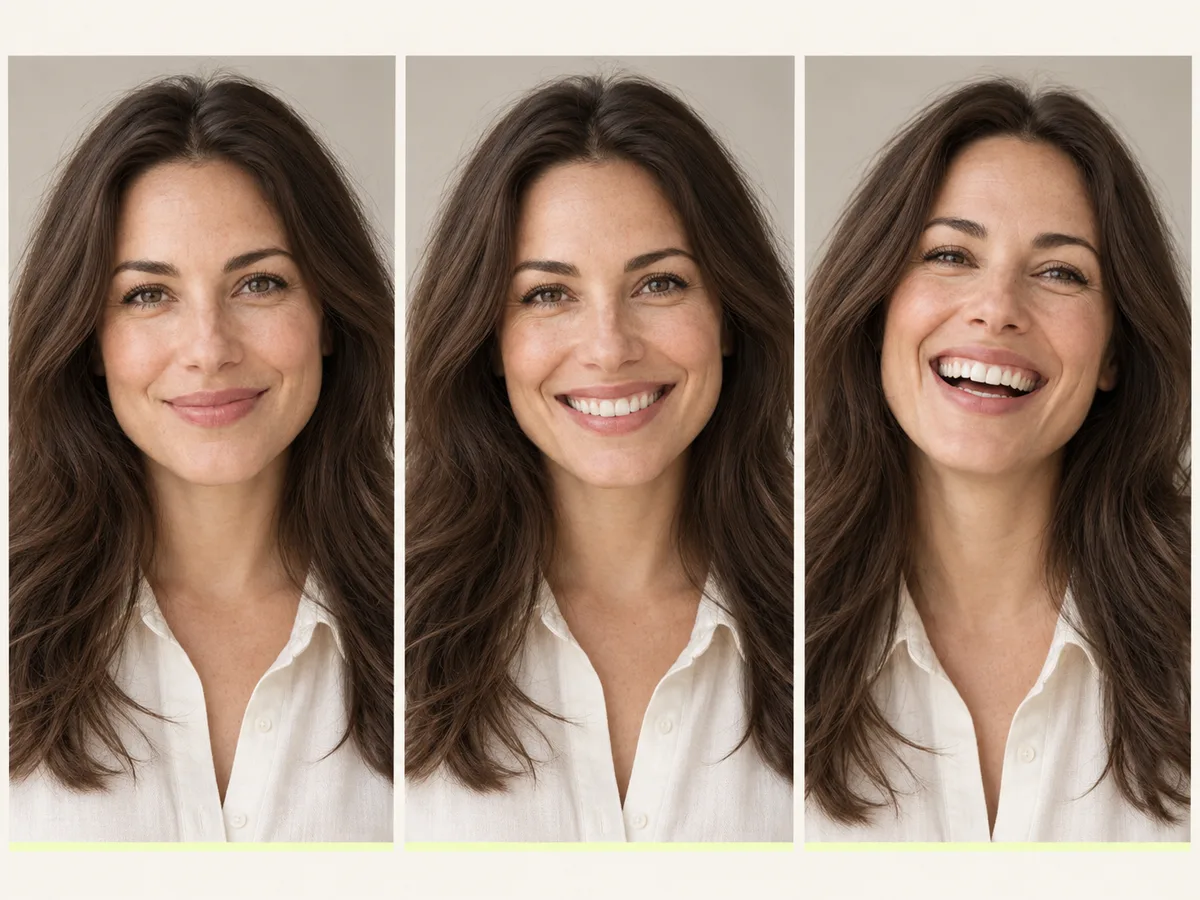
You decide how big the smile should be. Go with a gentle closed-mouth grin for your resume, or a bright open laugh for vacation photos. Just type what you want in the prompt box.

Start Using the Best Smile Filter
Three-panel comparison showing three smile styles on the same person from a subtle grin to an open laugh

Frequently Asked Questions About AI Smile Filter

What is AI Smile Filter?

AI Smile Filter is an online photo editing tool that uses artificial intelligence to transform serious, neutral, or tired facial expressions into natural, believable smiles. It enhances portraits, selfies, and group photos while keeping your original look and background unchanged.

How do I use Free Online AI Smile Filter?

Using Free Online AI Smile Filter takes three simple steps: upload your image into the drop zone, choose an example preset or write a custom smile prompt, and click Generate. Within seconds, preview your new smiling portrait and download the high-resolution file.

Will AI Smile Filter make my photo look fake?

No. Unlike basic apps that just stretch the mouth, AI Smile Filter moves your whole face naturally. It lifts your cheeks, softens your eyes, and adds realistic teeth so your smile looks genuine.

Can AI Smile Filter fix people who didn't smile in group photos?

Yes. AI Smile Filter is ideal for salvaging group shots, wedding pictures, and family portraits. It can detect multiple faces and add natural smiles to individuals who blinked, looked distracted, or forgot to smile.

Does AI Smile Filter change my hair, clothes, or background?

No. AI Smile Filter changes only the facial expression. Your hair, clothing, jewelry, skin tone, lighting conditions, and background remain completely untouched.

Can I use AI Smile Filter on my iPhone or Android phone?

Yes. AI Smile Filter is completely web-based and runs directly inside Safari, Chrome, Edge, and Firefox. You can use it on iPhone, Android, iPad, Mac, and Windows PC without installing any apps or software.

What photo file formats are supported by AI Smile Filter?

AI Smile Filter supports all standard digital photo formats, including JPG, JPEG, PNG, and WebP. For the best quality, upload clear, sharp photos with good lighting.

Can I adjust how big or wide the smile is?

Yes. You have full control over the smile intensity. You can request a subtle closed-mouth smile for a LinkedIn profile, a gentle friendly grin for an ID badge, or an open-mouth laugh showing teeth for social media.

Is AI Smile Filter free to try?

Yes. You can create a free account and start using AI Smile Filter immediately. For high-volume projects and commercial use, affordable paid plans offer higher generation capacity and priority processing.

Add a Radiant Smile to Your Photos with AI Smile Filter

Turn serious headshots and unsmiling group photos into warm, joyful memories in seconds. Upload your photo now and let your smile shine.