
Seedream 5.0 Lite AI Image Generator

Intelligent AI image generation with visual reasoning and real-time knowledge. Create and edit high-resolution visuals at lightning speed.

Aspect ratio
Quality

Seedream 5.0 Lite Image Examples

What is Seedream 5.0 Lite?

Seedream 5.0 Lite is ByteDance Seed's intelligent multimodal AI image generation model engineered with deep visual reasoning and dynamic knowledge understanding. Unlike conventional image generators that rely solely on surface-level keyword matching, Seedream 5.0 Lite is designed with a "think before it draws" paradigm. It analyzes the underlying logic, spatial relationships, and physical context of your prompt before rendering a single pixel.

Whether you need rapid concept ideation, social media visuals, editorial graphics, or prompt-based photo editing, Seedream 5.0 Lite delivers fast, reliable, and contextually grounded results. With verified support for up to 14 reference images and native resolution options spanning 2K, 3K, and 4K, Seedream 5.0 Lite gives creators, marketers, and developers a versatile creative engine that balances high visual quality with exceptional speed and affordability.

Key Features of Seedream 5.0 Lite

01

Chain-of-Thought Visual Reasoning

Seedream 5.0 Lite deconstructs complex prompts into logical spatial blueprints before image synthesis begins. By interpreting cause-and-effect relationships, lighting physics, and multi-element arrangements, the model eliminates common compositional glitches and achieves superior prompt adherence on your initial generation.
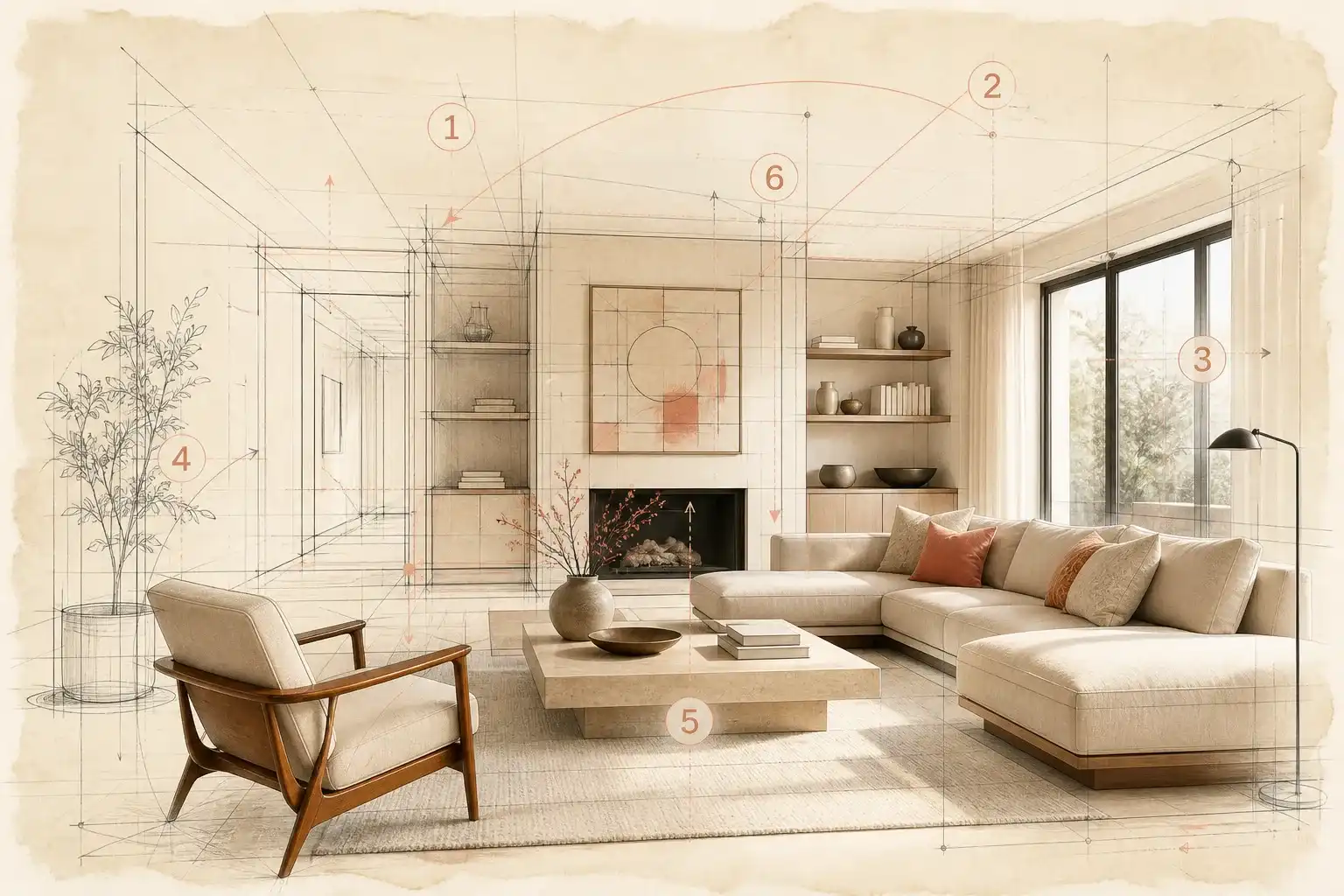

Chain-of-Thought Visual Reasoning
02

Live Knowledge & Trend Understanding

Equipped with real-time web retrieval capabilities, Seedream 5.0 Lite stays connected to current events, emerging visual trends, and factual data. This enables the model to create timely infographics, accurate educational diagrams, and trend-aligned marketing graphics without relying strictly on outdated training sets.

Live Knowledge & Trend Understanding
03

Unified Generation and Multi-Image Editing (Up to 14 References)

Seamlessly transition from text-to-image creation to precise image-to-image editing. Upload up to 14 reference photos to maintain subject identity, match color harmonies, or swap backgrounds and outfits. Seedream 5.0 Lite keeps essential subject details intact while executing your creative modifications smoothly.

Unified Generation and Multi-Image Editing (Up to 14 References)
04

Flexible High-Resolution Output (2K / 3K / 4K)

Generate native high-definition images tailored to your specific output requirements. Choose 2K for rapid prototyping and social posts, 3K for editorial layouts, or 4K ultra quality for detailed digital presentations and large display formats—all without needing external upscaling tools.

Flexible High-Resolution Output (2K / 3K / 4K)
05

High-Throughput Cost Efficiency

Built on an optimized Diffusion Transformer architecture, Seedream 5.0 Lite provides rapid generation speeds and affordable credit pricing. It is the ideal workhorse model for high-volume content production, creative iteration, and agile marketing workflows.

High-Throughput Cost Efficiency

How to Use Seedream 5.0 Lite

  1. 01
    Enter Your Prompt or Upload References

    Type a clear description of the image or modification you want to produce. If you wish to restyle an existing photo or preserve specific characters and products, upload up to 14 reference images (JPEG, PNG, or WebP formats, up to 10MB each).

  2. 02
    Select Quality Tier & Aspect Ratio

    Pick your preferred resolution: Basic (2K) for swift concepts, High (3K) for polished graphics, or Ultra (4K) for maximum clarity. Then select your target aspect ratio (1:1, 16:9, 9:16, 4:3, 3:4, 2:3, or 3:2).

  3. 03
    Generate and Review

    Click Generate to run Seedream 5.0 Lite. In just seconds, your image is rendered with rich detail, coherent spatial geometry, and balanced lighting.

  4. 04
    Refine or Download

    Inspect your result in full resolution. Download your finished visual directly, or adjust your prompt and reference inputs to iterate further within the interactive canvas.

Seedream 5.0 Lite vs Seedream 5.0 Pro

Feature / DimensionSeedream 5.0 LiteSeedream 5.0 Pro
Resolution2K (Basic) / 3K (High) / 4K (Ultra)1K (Basic) / 2K (High)
Max reference imagesUp to 14 reference imagesUp to 10 reference images
Control levelDeep visual reasoning, logical prompt planning, unified prompt-based editingPixel-level spatial grounding, interactive region editing, separable design layers
Team fitGrowth marketers, social media creators, content teams, agile designersArt directors, commercial advertising teams, UI/package designers
Best forHigh-volume ideation, social cards, trend visuals, high-res draftsCommercial product ads, dense infographics, multilingual packaging, modular layer exports

Frequently Asked Questions

What is Seedream 5.0 Lite?

Seedream 5.0 Lite is ByteDance's reasoning-first multimodal AI image model. It combines Diffusion Transformer image synthesis with chain-of-thought logical deduction and optional live search grounding, producing coherent visuals and infographics from simple or complex text prompts.

What is the difference between Seedream 5.0 Lite and Seedream 5.0 Pro?

Seedream 5.0 Lite is built for high speed, cost-effective generation, reasoning-based composition, and higher resolution ceilings up to 4K with up to 14 reference images. Seedream 5.0 Pro is a specialized design flagship focused on dense infographic layouts, pixel-level localized editing, separable layer exports, and native multilingual text in over 14 languages with up to 10 reference images.

How does visual reasoning improve image generation in Seedream 5.0 Lite?

Visual reasoning enables Seedream 5.0 Lite to think through the physical laws, spatial geometry, and contextual dependencies of your prompt before rendering pixels. This prevents spatial contradictions, maintains logical lighting, and ensures multiple objects interact naturally within the frame.

Can Seedream 5.0 Lite edit existing images?

Yes. You can upload an existing image as a reference and describe what you want to modify—such as changing clothing, altering background settings, adjusting lighting, or adding objects—while preserving the core identity and structure of your subject.

How many reference images can I upload at once?

You can upload up to 14 reference images simultaneously. Supported formats include JPEG, PNG, and WebP, with file sizes up to 10MB per image.

Is Seedream 5.0 Lite free to try?

Yes. You can register an account on imgtoimgai.io and use your complimentary welcome credits to test Seedream 5.0 Lite directly in the online generator.

Can I use images generated with Seedream 5.0 Lite for commercial projects?

Yes, if you have an active paid subscription on imgtoimgai.io. Subscribed users get full commercial usage rights for marketing campaigns, digital ads, e-commerce, and client deliverables. Free tier users are limited to personal, non-commercial use.

Do I need to install anything to use Seedream 5.0 Lite?

No. Everything works right in your web browser on your computer, tablet, or phone. You do not need to download or install any software.

Create Smarter Visuals with Seedream 5.0 Lite

Harness visual reasoning, real-time knowledge grounding, and up to 4K resolution. Experience the speed and intelligence of Seedream 5.0 Lite today.